
Document Version Control: Proving What a Buyer Actually Read
Months after a bid, a buyer asks what you actually submitted and the team cannot say which file they read. This article shows how to keep a version record that answers the question in minutes.
By EA Team
Contents
A submitted bid becomes a record the moment it leaves your team. Whatever the buyer read is what the contract will be measured against, and the team's memory of it fades within weeks.
Eight months after a framework bid is awarded, a buyer's contract manager asks why the data-retention answer differs from the figure now in the contract. The bid lead remembers a late revision. He searches the shared drive and finds three files with similar names, all dated within a week of each other. Each carries a slightly different retention period. He cannot say which one was submitted, and the account team spends two days establishing it.
This article sets out why the submitted version is so hard to establish, what a usable version record has to contain, and how to freeze that record at the moment of submission. It also shows where EA keeps version history, statuses, approvers and sources on each answer, so the record exists before anyone asks for it.
Why the submitted version is hard to establish
Bids are revised under pressure. An answer can change several times in a day, and each change may be saved as a new file, edited in place or copied into a different document. By the time the response goes out, the final version may exist in more than one place, and nobody has marked which one was sent.
Email makes this harder. The submission may have gone through a portal, been attached to an email or been uploaded by a colleague working from an earlier copy. The attachment in the sent folder is not always the file on the drive.
The team in the example did the work, and the work was careful. What was missing was a record that tied the submitted response to a specific version, a specific approval and a specific set of sources.
What a version record has to show
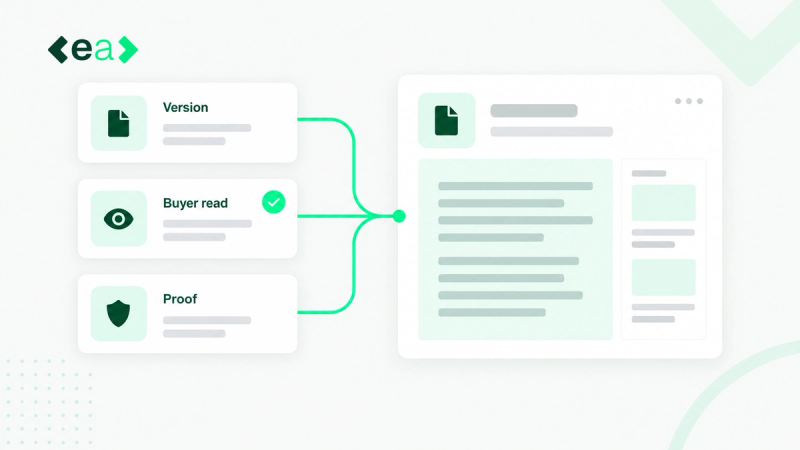
A useful record answers four questions. Which version of each answer was submitted? Who approved it? What did it say at the time? Which source document supported it? Each is a small piece of information, and together they let a team reconstruct the bid accurately after the people involved have moved on.
The version identifier matters most. A date alone is not enough, because two revisions can share a day. A version number tied to the approved wording, stored with the submission, removes the ambiguity.
Freezing the state at submission
The practical step is to freeze the state of each answer when the response goes out. Record the version, the approval and the source references as they stood at that moment. Any later change should create a new version, so the submitted record stays intact.
Keep the submission record with the answers. A separate summary in a spreadsheet is easy to update by mistake and hard to tie back to the wording it describes.
How EA keeps the record
EA keeps version history on each answer, so the team can see every change and when it was made. Answers carry statuses and named approvers, which show who signed off the wording at each stage. The sources behind each answer stay visible, because EA answers from approved documents and shows its citations.
Those four things sit on the answer itself, which is what makes the record usable months later. A reviewer opening the answer sees the current wording, the approval behind it and the evidence it draws on, without hunting through a drive. When a buyer asks what was submitted, the team reads the record and does not have to reconstruct it.
Version history is only as good as the point you capture. Confirm the approved state at the moment of submission, and keep the response, the approval and the sources together. Our article on what tender response automation should actually automate covers which parts of a response should stay with people, including the final sign-off.
Handling clarifications and late changes
Buyers often ask for clarifications after submission, and those answers change the record. Treat each clarification as its own version, with the date and the reason. If the buyer's question leads to a revised answer, record the original and the clarification, so the sequence is visible later.
The same applies to attachments. If a certificate or policy went with the response, record the file name, its version and its date, so you can show exactly what the buyer received. In EA, a new version of an answer keeps the earlier one in the history, which means a clarification adds to the record and leaves the earlier version intact.
A submission record you can keep
Before you submit, save the final version of each answer and attach a short note to the submission: the version, the approvers and the date. Keep the note with the response, and not in an inbox where it will be buried by the next week's correspondence.
Store the attachments alongside the response, with their version numbers in the file names or in the record. A file called "ISO certificate" tells you very little. A file carrying its version and issue date tells you what the buyer received.
After award, check the record against the contract wording for any answer the buyer may ask about. If the two do not match, you have found the discrepancy while there is still time to resolve it, and while the people who wrote the answer are still in the business.
A useful version record is short. For each submitted answer it names the version, the approver, the date of approval and the source document with its own version. For attachments it names the file, its issue date and its version number. A team that records those fields at submission can answer a buyer's question in minutes, because the record already says what was sent.
Testing the record before you need it
A version record is only useful if it works under pressure. Once a quarter, pick one recent submission and check that the team can name the version, the approver and the source of every answer in it, using only the record. If they cannot, the gap is in the record.
Fixing that gap while the bid is recent takes an afternoon. Reconstructing it a year later takes days, and sometimes it cannot be done at all.
Evidence reused across assessments needs the same discipline. Our article on how EcoVadis evidence history carries between assessments shows why a dated trail matters when one document is cited more than once. The principle holds for a tender: the buyer's question is always about the version that was in front of them.
Where this leaves your submitted bids
A submitted response should be as traceable as a signed contract. Recording the version, the approval and the sources at the point of submission turns a two-day investigation into a five-minute answer. EA helps by keeping version history, statuses, approvers and sources together on each answer, so the record is there before anyone asks for it.
Pick your most recent submission and check whether you can name the version of each answer the buyer received, with its approver. If you cannot, note the gaps now. To see version history and approval records on a live answer, open one in EA and review its history.
Filed under RFPs, Tenders & Questionnaires, 18 November 2026All posts