


Questionnaire autofill
EA fills the questionnaire you were sent, in its own format.
Word, Excel, PDF or a web portal: EA drafts each answer from what you’ve already approved, flags what it can’t evidence and takes the finished document to the people who approve it.
Try EA free. No card needed.


Organisations that run work on EA





Why it comes back every year
The answers barely change. The layout always does.
Each client sends its own file, with its own tabs, numbering and wording, and next year’s version moves the rows. So the people who wrote last year’s answers find them again, reword them and paste them into a new grid, whether it’s a short supplier form or a long client due diligence questionnaire. Autofill does that part.
01
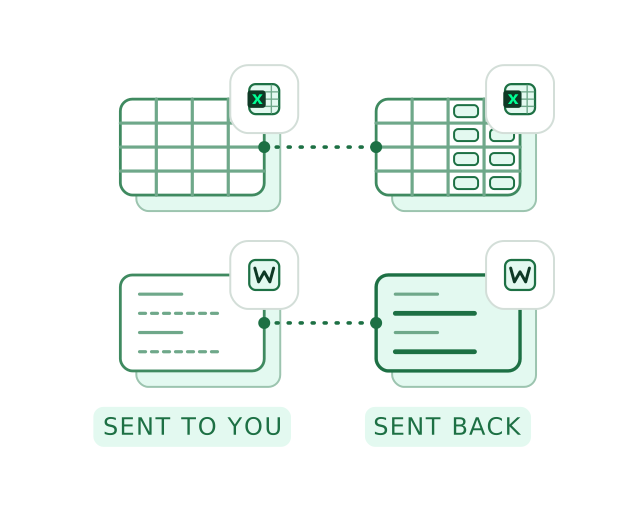
Their file, not a copy of it
EA writes into the file you were sent, keeping its tabs, tables and numbering: Word, Excel, PowerPoint or a fillable PDF. A flat PDF comes back as an editable Word file.
02
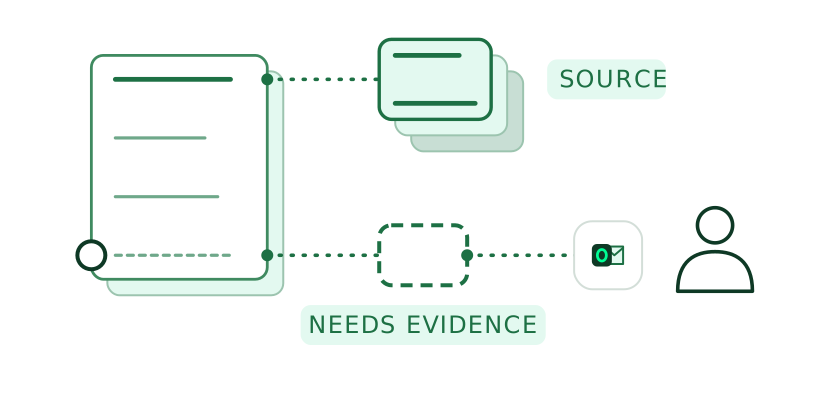
Where the evidence runs out, EA says so
Each answer is drafted from your approved answers and documents, with its source beside it. A question EA can’t evidence is marked “Needs evidence” and goes to the colleague who holds it.
How the Knowledge Library holds your evidence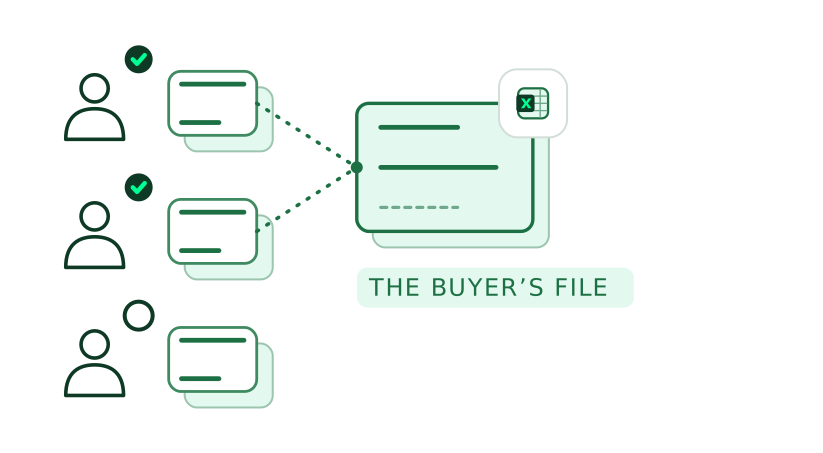
03
Nothing goes in until it’s approved
Assign a reviewer and an approver to each question, in bulk or one by one, and each gets an email. An approved answer locks, and only approved answers are written into the file.
How approvals work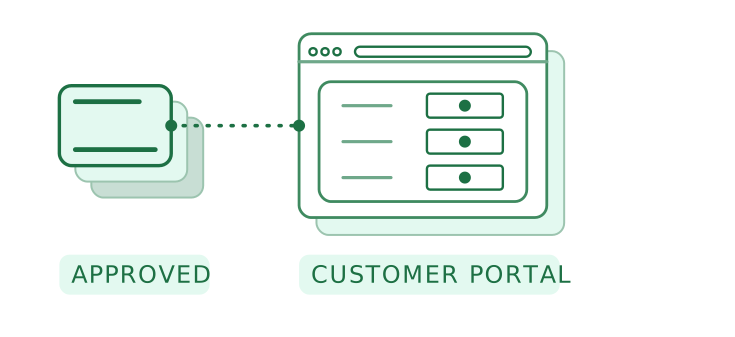
04
Portals too, field by field
When the questionnaire lives on a web portal, the Browser Plugin fills supported fields from the same approved answers, in Chrome and Edge. A person on your team checks the page and submits it.
About the Browser Plugin
Worked example
One tender questionnaire, from upload to export.
A 19-question tender questionnaire, sent as the buyer’s own Excel file with three tabs.
01 / 04
- EA
Finds each question across the three tabs, with its guidance and the answer it expects: text, a number, a date or a table.
Your teamThe bid lead checks the list and picks the folders EA draws on.
- EA
Drafts 16 answers from the Knowledge Library and last year’s approved tender, and marks the 3 it can’t evidence. Knowledge library & memory
Your teamThe bid lead reads each draft beside the passage it came from.
- EA
Asks the colleague who holds each missing piece, in email, Teams or Slack, with a date before the tender closes. Agent
Your teamIT, finance and legal answer where they already work.
- EA
Writes each approved answer into its own cell of the buyer’s file, with the buyer’s tabs and formatting kept. Approvals & sign off
Your teamThe bid lead downloads the file and sends it to the buyer.
See a sample questionnaire filled in its own layout. For your IT team: data is hosted in EA’s cloud in a region you choose, hybrid or on-premises, and EA is ISO 27001 certified.
Book a demoWhat Autofill does
Each form this year, and a head start on next year’s.
As it drafts
- Reads the document as it arrived
PDF, Word, Excel or PowerPoint, up to 300 questions a form; check the questions it found and rerun detection with an instruction. If a file can’t be read, EA says so rather than returning part of it.
- You choose what it draws on
All of the Knowledge Library or chosen folders, documents and past answers, other workspaces, and the public web only when you switch it on.
- Written the way you write
Add instructions or a template, and a context document such as the tender’s own guidance. EA drafts in the tone of your approved answers.
As you finish
- Rework one answer, not the form
Rewrite an answer with an instruction or to a word limit, and see the change before it applies. The rest of the form keeps its progress and its assignees.
- This year’s answers start next year’s form
Approved answers feed the next questionnaire, so a renewal starts from what you sent last time, not from the blank file.
- An export for each recipient
The original file, an Excel sheet, a structured Excel or a branded PDF that shows the evidence behind each answer.
FAQ
Questions about filling documents.
What teams ask before EA fills a questionnaire in someone else’s format.
Yes. If a client sends a three-tab Excel file, EA writes the answers back into those three tabs, row for row. It does the same in Word and PowerPoint, fills the form fields of a fillable PDF and returns a flat PDF as an editable Word file; a questionnaire on a web portal is filled through the Browser Plugin.
EA drafts from your closest approved answer and your documents and shows the source beside each draft, so the reviewer sees what it relied on, even when a question is worded differently from last time. If nothing supports an answer, such as an insurance question whose stored certificate has expired, EA marks it “Needs evidence” and asks the colleague who holds it.
Yes. Import last year’s approved questionnaires and point EA at the folders where your policies and certificates sit, and the first form already draws on them. Moving from another platform? Our Customer Success team helps with the export.
It depends mainly on how many questionnaires you fill in a year. Plans differ by the number of autofills, the workspaces you need and the size of your knowledge library; see the pricing page.
An assistant helps one person draft in a chat window, and EA works alongside it. EA fills the client’s own file, cites a source for each answer, takes each question to the colleague who owns it and keeps what’s approved for next time. EA and AI assistants, compared.
A person on your team. EA writes the answers into the client’s file; whoever owns the relationship downloads it and sends it, or checks the portal page and submits it.


Your next client questionnaire, without the copy and paste.
A questionnaire in its own layout, to your Head of Compliance.
Related
Autofill fills the document. EA covers every step before and after it.
Other modules
- AgentPicks up the questionnaire from the email or chat it arrived in and asks colleagues for what’s missing.
- Knowledge library & memoryHolds the approved answers and documents Autofill drafts from, each with its source.
- Gap AnalysisShows what you can already evidence against a framework before the questionnaire is due.
- Approvals & sign offTakes each drafted answer to its reviewer and approver and keeps a record of who approved what.
By industry
 SoftwareCustomers’ security and privacy questionnaires, filled in the customer’s own spreadsheet.
 Manufacturing and consumer goodsCustomer audits and supplier questionnaires, each in the customer’s own template.
 Public sector and defenceSelection questionnaires and tender returns, written into the buyer’s own file.
 Legal firmsPanel questionnaires from each client, in that client’s own layout.