


AI agent for compliance requests
Forward the request. EA does the running around.
EA reads what’s being asked, gives each piece an owner, drafts what it can from your approved answers and asks colleagues for the rest, then brings it all back to the one person who approves it.
Try EA free. No card needed.


Organisations that run work on EA





How the agent works
Each request, taken apart and put back together.
Requests rarely arrive as tasks. They arrive as emails, each customer bundling its own asks in its own words, with its own deadline. Someone has to work out who holds the certificate now and who knows the date of the last mock recall, and last time’s list is already out of date. So the coordinator becomes the switchboard until the next email starts it again. The agent takes on that part.
01
It starts where the request lands
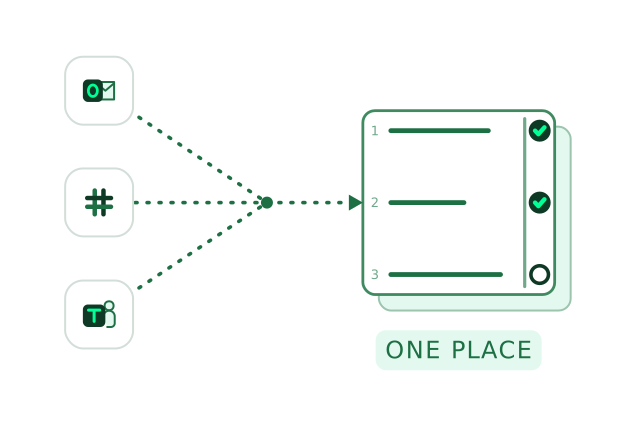
Forward the email to your organisation’s EA address, mention EA in Slack or Teams, message it on WhatsApp or drop the file into chat. EA reads the asks, the attachments and the due date.
Where EA works with your team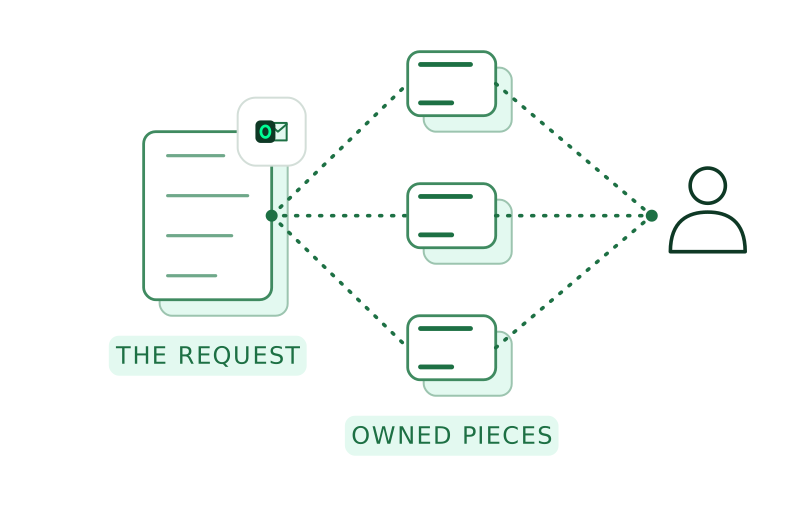
02
Each piece gets an owner
EA splits the request into owned pieces and proposes who reviews each one and who approves the whole, so nobody reviews what they approve. A person confirms the split before anyone is asked.
How approvals work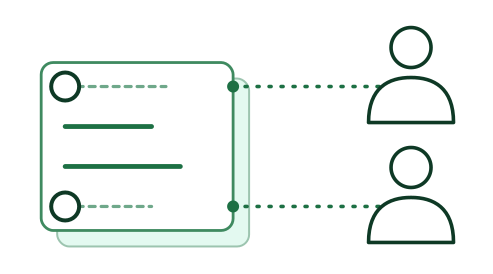
03
It does the asking inside your organisation
Each colleague gets one message with only their questions and a date, in email, Teams or Slack, and EA follows up until it’s answered. Replies come back as drafts credited to the person who gave them. Anything for the customer is sent by a person on your team.
04
It works with the access you give it
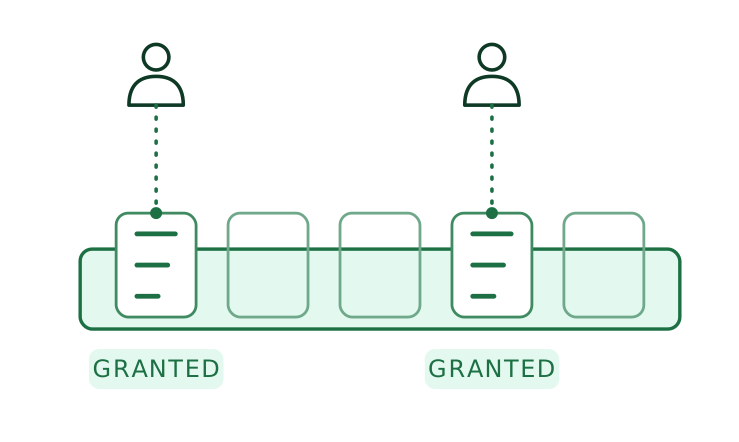
Admins choose the channels EA works in and the tools each person can grant it, and EA acts with the access of the person who asked.
How permissions work
Worked example
One supplier approval request, in four pieces.
A new customer emails its supplier approval request: a 32-question questionnaire, a certificate, specification sheets for three product lines and the recall procedure, all due on 21 November.
01 / 04
- EA
Reads the forwarded email and its attachment, and lists what’s asked: the questionnaire, the ISO 9001 certificate, three specification sheets and the recall procedure with a date.
Your teamThe account manager forwards the customer’s email to EA.
- EA
Proposes the quality team for the questionnaire and the certificate, technical for the specification sheets and operations for the recall procedure, with the Quality Manager to approve the whole pack. Approvals & sign off
Your teamThe account manager checks the split and confirms it.
- EA
Drafts 24 of the 32 answers from the Knowledge Library, attaches the current certificate and asks technical, operations and HR for the rest, each in their own channel, by 18 November. Knowledge library & memory
Your teamColleagues answer where they already work, and each reply comes back under their name.
- EA
Assembles the pack: the questionnaire filled in the customer’s template, the certificate, the three specification sheets and the recall procedure, each with its source. Autofill
Your teamThe Quality Manager approves the pack, and the account manager sends it to the customer.
See a forwarded request split into owned pieces and brought back for one approval. For your IT team: EA acts with each person’s own access, under single sign-on, which you can enforce.
Book a demoWhat the agent does
The coordination, from the first email to the last reply.
Taking the work in
- Reads what came with it
Up to 20 attachments an email. EA copies in the person who forwarded it and replies only to them unless they ask it to reply to all.
- Knows who’s asking
An unknown sender gets a link to verify who they are, not access. Each colleague verifies once before EA acts on their behalf.
- Joins it to work in hand
A request that belongs to open work joins it, with that work’s due date and owners, instead of starting again.
Getting it done
- Logs each call to a person
Each tool is granted to named people, with reading and writing granted separately, and each call EA makes is logged against the person it acted for.
- Follows your conventions
EA remembers how your organisation works, such as which figures finance must see first, and applies it without being told twice.
- Runs the repeat jobs
Admins set automations on a schedule, such as a Monday digest of what’s due or a new questionnaire started when a known customer emails one.
FAQ
Questions about the agent.
What coordinators and IT teams ask before they forward EA their first request.
One that takes a request through to a finished, approved piece of work rather than answering a single prompt. Forward EA a customer’s supplier approval email and it lists the asks, gives each an owner, drafts what your approved answers cover and asks colleagues for the rest. We call that organisational AI: AI that runs a piece of work across the people who contribute to it and the person who approves it.
EA drafts from your approved answers and documents and shows the source beside each draft. Where nothing on file supports an answer, such as the date of your last mock recall, EA marks it “Needs evidence” and asks operations, and the reply comes back credited to the colleague who gave it.
Within the limits you set. EA reads requests, drafts and asks colleagues inside your organisation, and it checks with you before it puts a draft in front of anyone for approval. A named person approves the work, and a person on your team sends anything that leaves the organisation, to a customer, an auditor or a regulator.
The documents it should draw on and the channels your team uses. Connect the drives where your policies and certificates sit and add requests you’ve answered and approved before; EA works with them where they are. Our Customer Success team helps bring answers over from another platform.
It depends on how many requests you run through EA and how many teams use it. Plans differ by the number of autofills, the workspaces you need and the size of your knowledge library; see the pricing page.
What your admins connect, and only what each person is allowed to see. Admins connect storage such as SharePoint, OneDrive and Google Drive and install reviewed connectors, which use the Model Context Protocol (MCP); each tool is granted to named people. The security overview has the detail.
One, named and instructed for your organisation. Admins set its name and standing instructions, and EA’s team sets up the skills it uses for your common obligations, such as supplier questionnaires and tender responses.


Your next forwarded request, without the switchboard.
A request split among owners, then to your Quality Manager.
Related
Where each piece goes next.
Other modules
- Knowledge library & memoryWhere the agent finds the approved answers and documents it drafts from, and the conventions it follows.
- Gap AnalysisShows what you can already evidence against a framework, before the agent asks anyone for more.
- AutofillWrites the approved answers into the customer’s own file once the pieces are back.
- Approvals & sign offTakes each piece to its reviewer and the whole to its approver, with a record of who approved what.
By industry
 Manufacturing and consumer goodsCustomer supplier approvals that ask for a questionnaire, certificates and product specifications in one email.
 Construction and infrastructurePrequalification and scheme renewals that need safety, quality and insurance evidence from different teams.
 Healthcare and life sciencesSupply-chain questionnaires from pharmaceutical customers, each part owned by quality, regulatory or supply.
 InsuranceBroker due diligence requests that land with one person and need answers from across the business.