


Integrations and Model Context Protocol (MCP)
EA meets your team in the tools it already opens.
Requests reach EA where they land, and EA asks colleagues where they work. It drafts from the files you already keep, reaches other systems only through connectors your admins grant, and brings each answer to the person who approves it.
Try EA free. No card needed.


Organisations that run work on EA





How integrations work
The work moves between tools. EA moves with it.
A customer’s questionnaire lands in someone’s inbox. The answers sit in SharePoint, and the person who knows last month’s calibration date is on the shop floor with a phone. Each request, the coordinator copies questions out of the email, searches the library and asks around, because nobody logs in to another system for two questions. And each new tool a team adopts is one more for IT to review.
01
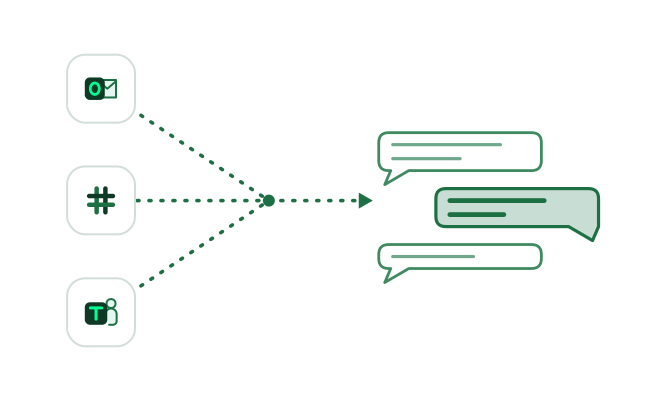
Asked where it lands, answered where people work
A forwarded email or a mention in Slack or Teams is enough to start, and EA answers in the same thread. When it needs a colleague, it asks them where they already work, on WhatsApp too if your organisation turns it on.
How the Agent asks colleagues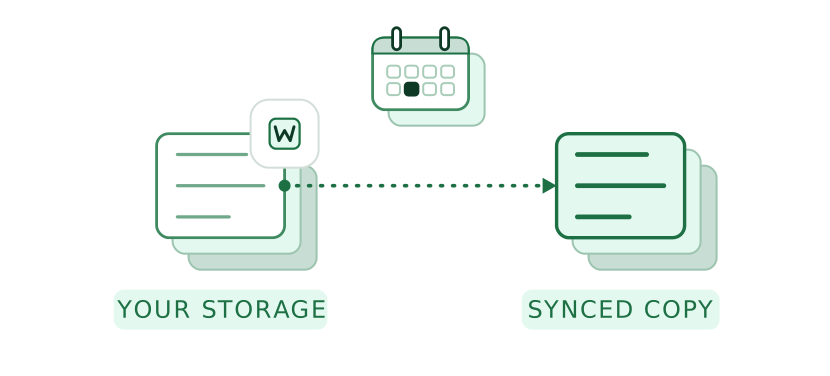
02
Documents read where they’re kept
Your team keeps editing in SharePoint, OneDrive or Google Drive. EA works from a synced copy, so each drafted answer cites the document it came from.
How EA drafts from your documents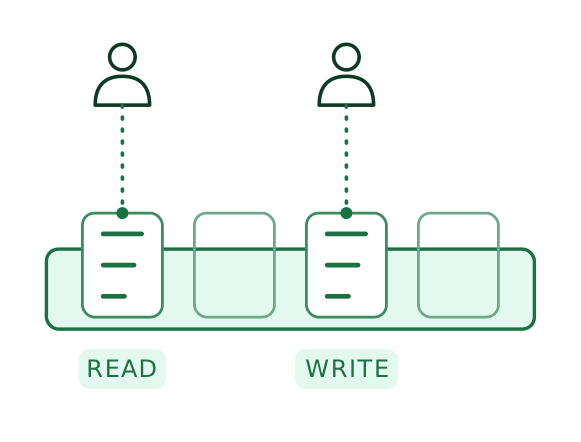
03
Connectors, one person at a time
Admins install reviewed connectors through MCP, approve each with the provider’s own sign-in and grant each tool to named people, with read and write kept apart. Each run uses the access of the person who started it.
Enterprise security and permissions
Worked example
One customer questionnaire, across four tools.
A customer’s supplier quality questionnaire, 46 questions in its own Excel file, sent to a manufacturer’s account manager.
01 / 04
- EA
Finds the customer’s email in the account manager’s Outlook through the connector she’s been granted, using her own access, and reads the 46 questions.
Your teamThe account manager mentions EA in Teams: “Fill the quality questionnaire the customer sent on Tuesday.”
- EA
Drafts 43 answers from the quality manual and calibration procedure synced from the Quality library, each with its source, and marks 3 it can’t evidence. Knowledge library & memory
Your teamThe Quality team keeps working on its documents in SharePoint.
- EA
Asks the production manager on WhatsApp for the last calibration date, customer service in Teams for last year’s complaints, and the quality auditor by email for the latest audit summary. Agent
Your teamEach answers where they are; the production manager replies from the shop floor in one line.
- EA
Brings the finished questionnaire to the Quality Manager for review in Teams, then writes each approved answer into the customer’s own Excel file. Approvals & sign off
Your teamThe Quality Manager approves; the account manager sends the file to the customer from Outlook.

See one request worked across your own email, storage and chat. For your IT team: EA is ISO 27001 and Cyber Essentials certified.
What EA connects to
Each system EA connects to, by name.
Where requests arrive and people answer
- Email
Your organisation’s own EA address. Forward a request with up to 20 attachments; EA copies in the person who asked and replies in the thread.
 Slack
Mention EA in a channel or a thread, and it answers there with its sources.
 Microsoft Teams
Mention EA in a chat or channel, and it reads the conversation it was asked in.
 WhatsApp
Off until your organisation turns it on. Text only, and only with named EA users.
Where your documents sit
 SharePoint
A site, a library, a folder or single files, synced on the schedule you set.
- OneDrive
Your OneDrive files, synced the same way.
 Google Drive
The Google Drive files you select, synced the same way.
Connectors through MCP
 Outlook
Read the email a request arrived in, with the access of the person who asked.
 Gmail
The same for Gmail: the request’s email, read on the asker’s own access.
 Microsoft 365
Reach the Microsoft 365 tools your admins grant, person by person.
FAQ
Questions IT asks about connecting EA.
For the people who decide what EA can reach, and the coordinators who need colleagues to answer.
Email, Slack, Microsoft Teams and WhatsApp for requests and replies; SharePoint, OneDrive and Google Drive for documents; and Gmail, Outlook and Microsoft 365 through connectors your admins approve. EA integrates with many other products, and our Customer Success team helps with exports from other platforms.
From your approved answers and documents, with its sources cited in the thread. If someone asks in Slack for the date of the last internal audit and nothing EA holds gives it, EA says so and asks the person who would know.
You keep them where they are. EA syncs the SharePoint sites, OneDrive files or Google Drive files you choose and keeps a copy so it can search and cite them, while your team carries on editing in SharePoint. What EA holds stays in the deployment you choose: EA’s cloud in a region you choose, hybrid or on-premises.
An admin does it once: EA is added to Slack, and installed across the organisation in Teams with resource-specific consent, so no tenant-wide admin consent is needed. Each person then verifies who they are once before EA acts with their access.
MCP is an open-source standard for connecting AI applications to external systems. EA uses it to connect to your systems, through connectors your admins install and approve with each provider’s own sign-in.
New connectors are reviewed and added to the library by EA’s team, and an SDK is available for advanced integrations.
It depends mainly on how much work you run through EA. Plans differ by the number of autofills, the workspaces you need and the size of your knowledge library; see the pricing page.


Your next request, without another login.
A request across four tools, then to your Quality Manager.
Related
What these connections carry.
Other modules
- AgentAsks colleagues in the channels connected here and brings their replies back as drafts.
- Knowledge library & memorySearches and cites the documents your storage sync brings in.
- AutomationsPosts its digests by email or to Slack, on the schedule an admin sets.
- Enterprise security and permissionsPermission groups and workspaces behind the access each connector uses.
By industry
 Manufacturing and consumer goodsCustomer quality questionnaires drafted from SharePoint, with the shop floor asked where it works.
 SoftwareSecurity questions answered by engineering in the Slack channels it already uses.
 Construction and infrastructureSite managers answer on WhatsApp and the office in Teams, all into one draft.
 Legal firmsPartners asked by email, with the firm’s documents read where they’re kept.