


Every layer of agentic AI, in one service that runs where you choose.
EA arrives complete: the agent that takes on the request, the engines that run your recurring work, the knowledge it drafts from and the routing to the models you approve. There is no integration required to start and no single model you depend on, and the whole stack runs in EA’s cloud in a region you choose, in a hybrid arrangement or on your own premises.
Organisations that run work on EA




The EA stack
Five layers, one service, inside the boundary you set.
EA builds and runs every layer, so there is nothing for your team to assemble. Work comes in through the channels people already use, passes down through the stack and reaches no model you haven’t allowed.
The EA stack: where work arrives and where your documents sit, then five layers inside the deployment you choose, and the approved models outside it.
Where work arrives
- Slack
- Microsoft Teams
- Files
- Web portals
Where your documents sit
- SharePoint
- OneDrive
- Google Drive
- Connectors through MCP
Runs where you choose
01Agent harness
Hand over the request, not a task list
The agent reads what’s asked, gives each piece an owner, asks colleagues for what’s missing and brings the whole back for one approval.
02Workflow, skill and autofill engine
Recurring work, done the way it expects
Skills hold the method, workflows add a framework’s inputs, and autofill writes approved answers into the file you were sent.
03Graph RAG
Every answer traceable to what you approved
A knowledge graph links each fact to its source, its owner and the answers that cite it, so each draft shows where it came from.
04Smart router
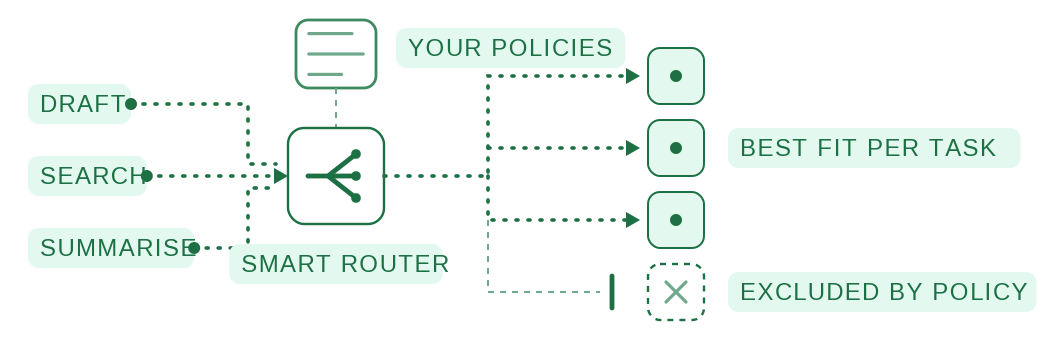
The right model for each task
Each task goes to the model best suited to it, within your organisation’s policies, never to one you’ve excluded.
05Inference provider management
You choose who processes your content
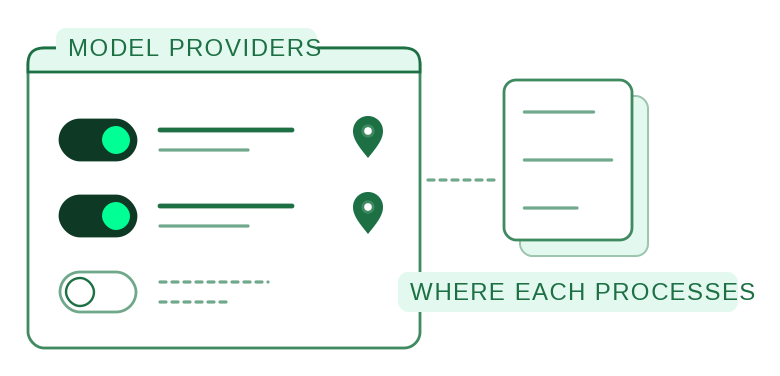
Approve the model providers that process your content, and exclude any of them.
- EA’s cloud
- A region you choose
- Hybrid
- On your premises
Models you approve
Work passes your controls on the way out and reaches only the model providers you allow.
The layers that do the work
Hand over the request. The stack takes it to sign-off.
The top three layers turn an email, a questionnaire or a framework into finished work your organisation can approve. Each row names the component as your engineers would, and says what it changes for the people doing the work.
01Agent harness
It takes the request from wherever it lands
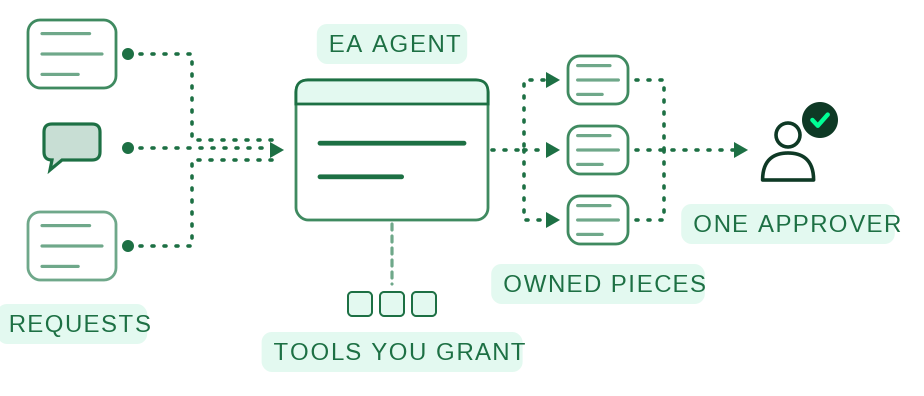
Forward an email, mention EA in Slack or Teams or drop a file into chat. The harness runs the agent: it reads the asks and attachments, splits the work into owned pieces, follows up with colleagues and brings the whole back to one approver. It uses only the tools your admins grant, with the access of the person who asked, and logs each call against them.
How the agent works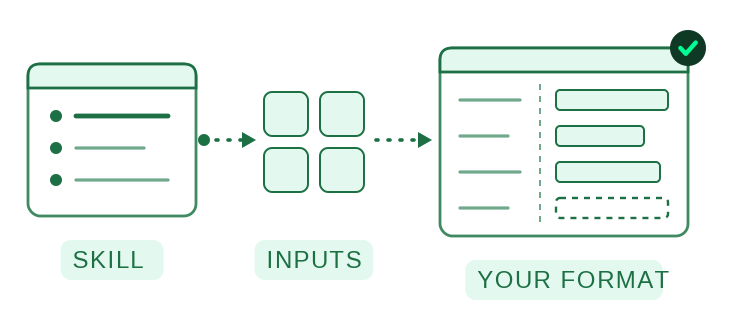
02Workflow, skill and autofill engine
Recurring work, answered the way it expects
Skills built by EA’s analysts hold how a kind of work is answered, a workflow adds one framework’s inputs and template, and autofill writes the approved answers into the Word, Excel, PowerPoint or PDF file you were sent, keeping its layout. Where the evidence runs out, EA marks the answer “Needs evidence” rather than guessing.
Skills and workflows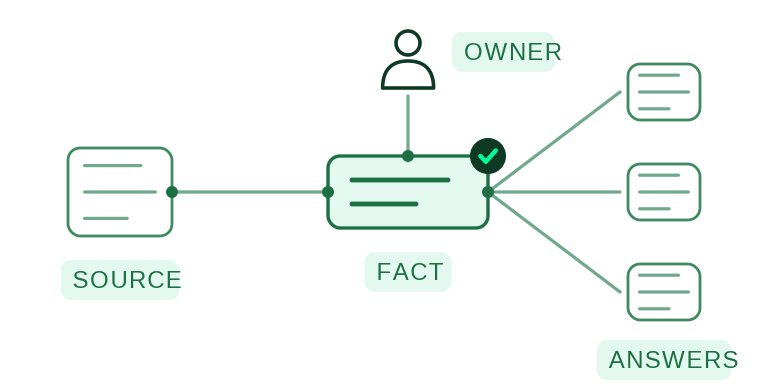
03Graph RAG
Every answer traceable to what you approved
Graph RAG is retrieval-augmented generation over a knowledge graph. Each fact is held once, linked to its source, its owner, its approval and every answer that cites it. Search by meaning and by keyword finds the passage; the links show where it came from and, when a certificate expires, every answer that rests on it.
What the knowledge library holds
Model agnostic
The right model for each task, within your policies.
EA isn’t tied to one model. Its smart router sends each task, from searching your documents to drafting an answer, to the model best suited to it, and only ever to the models your organisation’s policies allow.
- Your choice of providers
Decide which approved providers process your content, and exclude any of them
- Never used for training
Data never used to train the models EA runs on.
The layers that reach the models
Every model call stays inside your controls.
The lower layers decide which model handles each step and which providers may process your content, and the whole stack sits inside the deployment you chose.
01Smart router
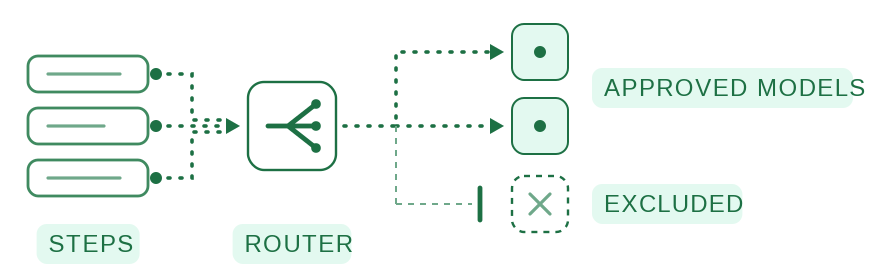
The right model for each task
A request becomes many tasks, from indexing your documents for search to drafting each answer. The router picks the model best suited to each one, within your organisation’s policies, and never sends work to a model you’ve excluded.
02Inference provider management
You choose who processes your content
You decide which of EA’s approved model providers perform inference and embedding on your content, and you can exclude any of them.
The controls you hold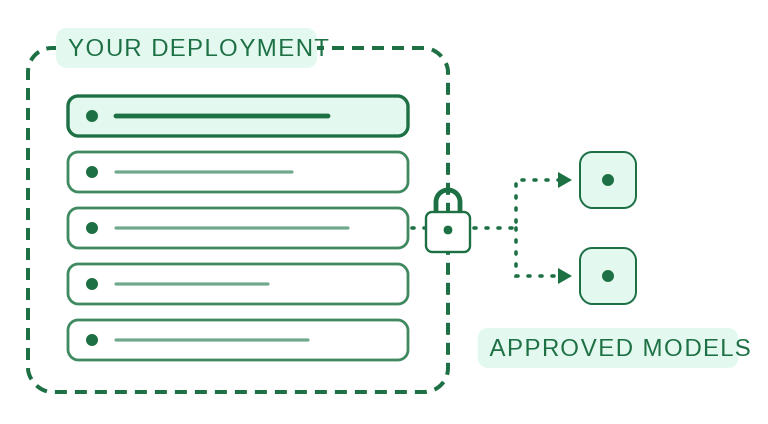
03Deployment
The same stack, wherever it runs
Host in EA’s cloud in a region you choose; hybrid and on-premises options available. In a hybrid deployment your content, files and retrieval index stay in your own environment; on your premises, EA runs under your network, identity and security controls.
See where EA can run
See the stack run on one piece of your own work. For your IT team: we’ll go through the deployment you need and the models you’d allow.
Book a demoFAQ
What technical reviewers ask about the stack.
Short answers for the engineers, architects and risk teams who look underneath.
Yes. EA isn’t built around a single model: the work runs on the models your organisation allows, from those EA has approved, and you can exclude any of them. Within those, EA’s smart router picks the model best suited to each task.
The software that runs an AI agent: it gives the model the request, the instructions and the tools, keeps track of the work and checks each step. In EA, the harness is what lets the agent split a request into owned pieces, ask colleagues by email, in Teams or in Slack, act with the access of the person who asked and log each call against them.
Retrieval-augmented generation (RAG) means the AI drafts from material it retrieves rather than from what the model remembers. Graph RAG retrieves from a knowledge graph, where each fact is linked to its source, its owner, its approval and the answers that cite it. For work you answer for, every draft shows where it came from, and when a source lapses EA stops citing it and flags what relied on it.
No integration is required to start. Forward a request to your organisation’s EA address, mention EA in Slack or Teams, or upload the documents it should draw on. Connect SharePoint, OneDrive or Google Drive, or add connectors through MCP, when you’re ready; your admins grant each one to named people.
Yes. On your premises, EA runs inside your own infrastructure, under your network, identity and security controls, with the model providers you approve. If your content and retrieval index must stay in your environment but the platform need not, choose a hybrid deployment. Hybrid and on-premises deployments are by agreement, so raise them early. See where EA can run.
Data never used to train the models EA runs on.


Your next piece of work, on a stack you control.
Bring one piece of open work and the deployment you need.
Related
Each layer, in more detail.
- AgentThe agent that gathers, drafts and routes the work for approval.Product
- Skills & Custom WorkflowsReady-made skills and workflows for common obligations, set up for your organisation.Product
- Knowledge library & memoryApproved answers and evidence with their sources, and the conventions EA remembers.Product
- Sovereign, under your controlWhere EA runs and which models process your content, set against your obligations.Hosting options
- Integrations and MCPEmail, Slack, Teams and the connectors your admins grant.Product
- Why sovereign AIThe control that lets your organisation say yes to AI.