


Approval workflow
Put your name to it, knowing who checked it.
EA takes each section of a report or questionnaire to the colleague who knows it, shows the approver each answer beside its source and its reviewer, and keeps the record of who approved what.
Try EA free. No card needed.

Organisations that run work on EA





Why sign-off queues every cycle
Everyone checked a part. Nobody sees which.
A CDP response or a client questionnaire has sections owned by legal, finance and operations, so sign-off becomes a meeting and a reply-all thread. Who agreed to what stays in those inboxes, rebuilt each year, and a figure corrected after sign-off can go out unapproved. EA keeps the checking and the approving in one place.
01
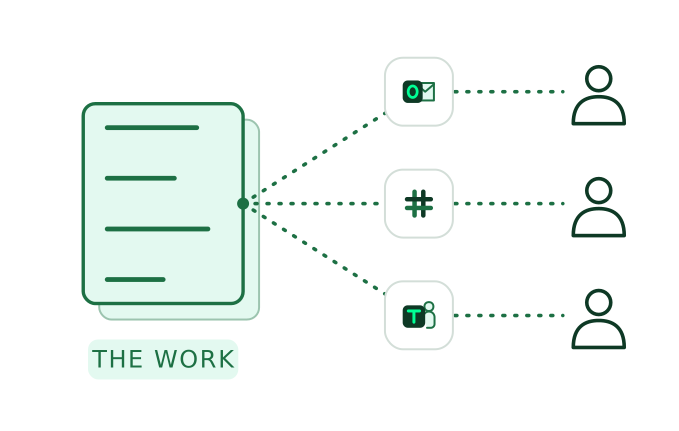
Only their part, where they already work
Assign reviewers to a section, a question or a document, in bulk or one by one. EA brings each review to the person by email, Slack, Teams or WhatsApp, and My Work lists what’s waiting on them, soonest first.
Where EA works with your team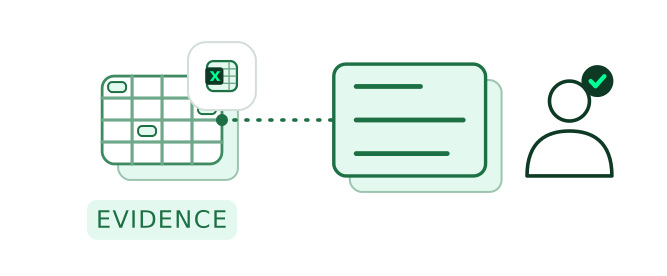
02
The evidence beside each answer
Reviewers and the approver see each answer next to the passage it came from, and can ask EA to rework one with the change shown before it applies.
About the Knowledge Library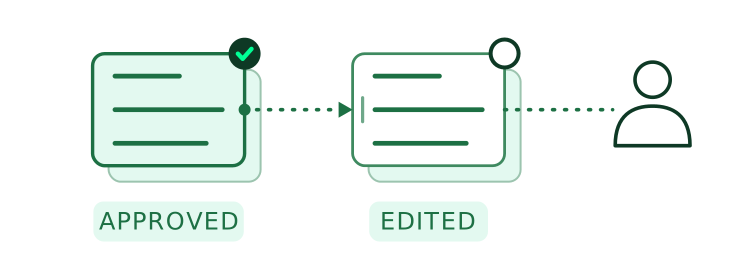
03
Approved is a decision, not a save
Approval is stored apart from edits, so a saved change can never pass for an approval. Change an answer after it’s approved and the approval clears, and it goes back to the approver.
04
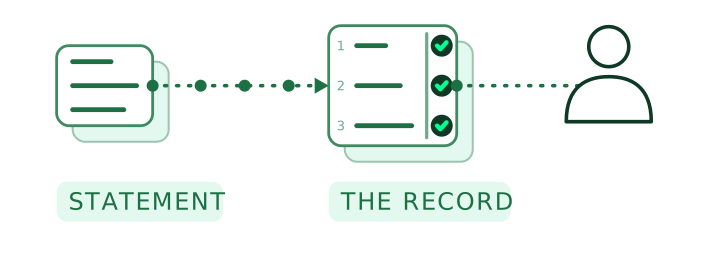
A record that stays with the work
Each answer and document keeps who was assigned, who reviewed it, who approved it and when, and each version with who changed it, EA or a named person.
Worked example
One CDP response, from section reviews to sign-off.
A climate response for the 2026 cycle: seven sections, four reviewers, one approver and the board’s decision to attach. CDP itself asks for the job title of the person who signed the response off.
01 / 04
- EA
Assigns each section to the colleague who knows it, legal for governance, the risk team for risks and opportunities, finance and operations for emissions, and emails each their part.
Your teamThe sustainability analyst confirms the reviewers and the Head of Sustainability as approver.
- EA
Shows each answer next to the passage it came from. When finance questions a Scope 2 figure in a comment, EA redrafts it from the final December energy invoice and shows the change first. Knowledge library & memory
Your teamFinance accepts the change and marks the emissions section reviewed.
- EA
Brings the Head of Sustainability each section with its reviewer and sources, and keeps the signed board minute with the approval.
Your teamThe Head of Sustainability approves the response.
- EA
When operations updates a fuel figure after approval, the emissions section’s approval clears and it returns to the Head of Sustainability with the change marked.
Your teamThe Head of Sustainability approves it again, and the sustainability analyst submits the response.
See a CDP response go from section reviews to one approval on record. For your board and your assurance provider: each decision shows who made it, when, and on what evidence.
Book a demoReview, sign and share
What leads up to the decision, and what stays after it.
Before the decision
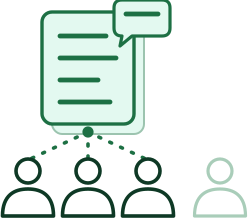 Only the people on the answer
During review, only an answer’s reviewers, its approver and the person who uploaded it can comment, reply or @-mention, and a comment never approves anything.
 Suggestions you can see
Statements and policies open in an editor with editing, suggesting and viewing modes, with comments in the margin.
After it
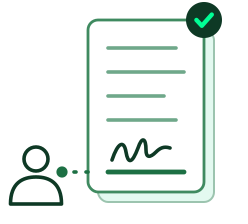 E-signature included
A statement that needs a signature is signed in EA by the person whose name goes on it, and the signed copy stays with the approval.
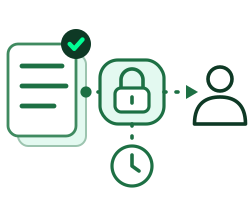 Shared on your terms
Send approved work by a link with an optional password and expiry, see when it’s opened and revoke it at any time. Recipients need no account.
FAQ
Questions about approval.
What approvers, coordinators and assurance teams ask.
Give each section a reviewer and the whole one approver, and keep the two decisions apart. In EA, a CDP response’s emissions section goes to finance and its governance section to legal; each marks its part reviewed, and the Head of Sustainability approves the whole with each reviewer’s name and source in view.
Each answer sits beside the source it was drafted from and the name of the colleague who reviewed it, so the approver checks the evidence, not only the wording. If a targets answer relies on a board decision that isn’t on file, EA marks it “Needs evidence” until someone adds the minute.
Approval is always a named person’s decision. EA drafts, takes each review to its owner and records each decision; it checks with you before it puts a draft in front of anyone for approval, and a person on your team submits or sends the approved work.
Yes. Assign the reviewers and the approver your process already names, section by section, and EA follows it; the first response you run sets the pattern for the next. If past responses sit in another platform, our Customer Success team helps bring them across.
It depends on the plan your organisation chooses and how much work you run through EA. Plans differ by the number of autofills, the workspaces you need and the size of your knowledge library; see the pricing page.
They review where they already work. EA brings each review to them by email, Slack, Teams or WhatsApp, whichever channels your organisation turns on, and each person verifies who they are once before EA acts for them; the decision is recorded in EA.


Your next CDP response, without the sign-off scramble.
Each CDP section reviewed, then to your Head of Sustainability.
Related
Approval is one step. These carry the work either side of it.
Other modules
- AgentSplits a request into owned pieces and proposes who reviews and who approves each one.
- Knowledge library & memoryHolds the sources each answer is checked against, and keeps each approved answer for next time.
- Gap AnalysisA framework analysis is reviewed and approved like any other piece of work.
- AutofillWrites only approved answers into the file you send back.
By industry
 Energy and utilitiesCDP and CSRD reporting, each section approved by the person accountable for it.
 Banking and building societiesResilience self-assessments and board reports, with the approver’s decision on record.
 Asset and investment managementInvestor due diligence questionnaires and responsible investment reports, checked by compliance before they go.
 InsuranceBroker due diligence and conduct reports, reviewed by each function and approved once.