For risk, compliance and business development teams at UK law firms
Before clients instruct you, they ask about you.
So do your insurers and your Lexcel assessor. EA drafts the panel questionnaire, the pitch, the professional indemnity insurance (PII) proposal form and the Lexcel evidence from what the firm has already approved. The partner or compliance officer who signs gets each one complete, with its sources beside it.
Try EA free. No card needed.


Organisations that run work on EA





The problem
The firm answers for itself, between client deadlines.
Last year’s answer, somewhere
The panel response you sent in the spring sits in a matter folder or someone’s inbox. The next one starts with a search, and a guess at which version the partner signed off.
The renewal date doesn’t move
PII renewal season lands on top of the panel reviews, a pitch and a client’s sustainability questionnaire, and the same few people answer all of them. The broker still needs the proposal form back in time for the insurers.
The people who know are billing
Practice heads hold the facts on work types, clients and supervision, and associates get pulled off matters to rebuild last year’s credentials. Every question you send them competes with a client’s deadline.
Practice heads should hear about a panel review only when a question needs them. EA drafts the rest from the firm’s own policies, and the partner who signs sees the whole response once, finished.
What EA does
Round the firm once, and back to the panel finished.Only what changed since last year needs your time.
A client’s panel review sends a questionnaire in Word: eight sections, from anti-money laundering (AML) to diversity, and a return date. EA works through it section by section; the firm decides what it says.
Your broker sends the PII proposal form each year. EA starts it from last year’s approved answers; the Compliance Officer for Finance and Administration (COFA) signs what goes to the insurers.
01 / 05
- EA
Finds the 64 questions across all eight sections, the six attachments the panel asks for and the return date, and keeps the client’s numbering.
Your teamThe risk team forwards the panel’s email; the Relationship Partner confirms they’ll approve.
- EA
Drafts from the firm’s AML policy, information security policy, insurance schedule and last spring’s panel response, and shows the paragraph behind each answer.
Your teamEach section’s owner reads the drafts beside the policies they came from.
- EA
Flags 13 answers that need evidence, such as diversity figures by practice group, and sends one ask to each person who holds the facts, following up until they reply.
Your teamThe Head of IT, the Head of Risk, the Money Laundering Reporting Officer (MLRO) and Human Resources reply in Teams or by email; the risk team sees what is still open.
- EA
Holds each section for its reviewer, and sends any answer changed after approval back to be approved again.
Your teamSection owners, the MLRO and the Compliance Officer for Legal Practice (COLP) among them, review their sections; the Relationship Partner approves the response.
- EA
Writes the approved answers into the client’s Word document, in the client’s own numbering, and matches each requested attachment to its current file.
Your teamThe Relationship Partner sends the document and its attachments to the panel team by a secure link with an expiry date.

01 / 04
- EA
Reads the broker’s form and matches each question to the answer the firm gave last year.
Your teamThe COFA forwards the broker’s email.
- EA
Asks Finance for fee income by area of practice and puts each figure in its place on the form.
Your teamFinance replies with the figures from this year’s accounts.
- EA
Flags each answer that this year’s facts change: a new area of practice, a claim notified since the last renewal, a new office.
Your teamThe risk team confirms the claims list; the COFA decides how each claim and circumstance is described.
- EA
Writes the answers the COFA has approved into the broker’s own form, in Word or as a fillable PDF.
Your teamThe COFA signs the declaration and returns the form to the broker.
Bring a panel response you’ve sent before, and see EA start the next one from it.See this path on the proposal form your broker sent last year.
Who it’s for
The rules say who signs. EA does what comes before.
Relationship Partner
On your desk
Panel questionnaires, pitches and outside counsel guidelines from the clients you look after.
With EA
The response reaches you finished, each section already through its owner.
You decide
What the firm commits to its client.
Compliance Officer for Legal Practice (COLP)
On your desk
The conflicts and supervision sections of every panel questionnaire, and the Solicitors Regulation Authority (SRA) AML questionnaire with the MLRO.
With EA
You see only your own sections of each questionnaire, already drafted.
You decide
What the firm says about its own compliance.
Compliance Officer for Finance and Administration (COFA)
On your desk
The PII proposal form, and the insurance questions in every client’s panel review.
With EA
The insurance answers in each panel response come from the same schedule as the renewal, so the two say the same thing.
You decide
How the firm describes its claims and circumstances.
Risk and Compliance Manager
On your desk
Lexcel maintenance visits, the policy library behind them and every panel questionnaire’s return date.
With EA
Each policy keeps an owner and a review date, and when the date passes EA asks its owner to recheck it.
You decide
What the firm shows the assessor.
Relevant EA features
One library of approved answers. Each client kept apart.
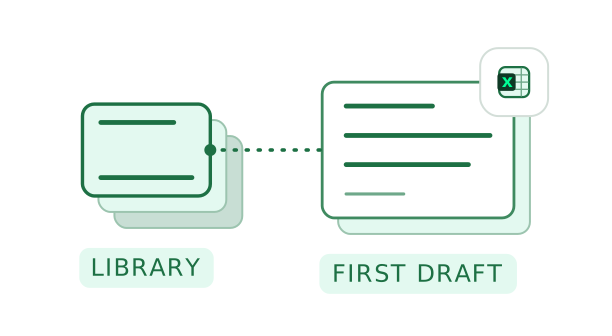
- Knowledge LibraryPrecedents, policies, past responses
 01
The firm’s own precedents, cited
EA drafts from the precedents, policies and past responses the firm has approved, synced from SharePoint, OneDrive or Google Drive or uploaded, and shows the source beside each answer.
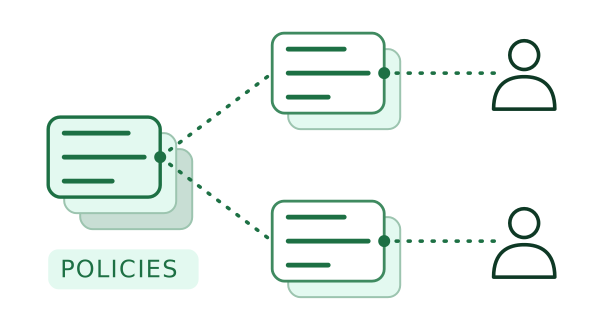
- WorkspacesOpen only to the client team
 02
Each client in its own workspace
Each client’s matters and answers sit in a workspace only the team on that client can open, while the firm’s policies sit in one library they all draw on.
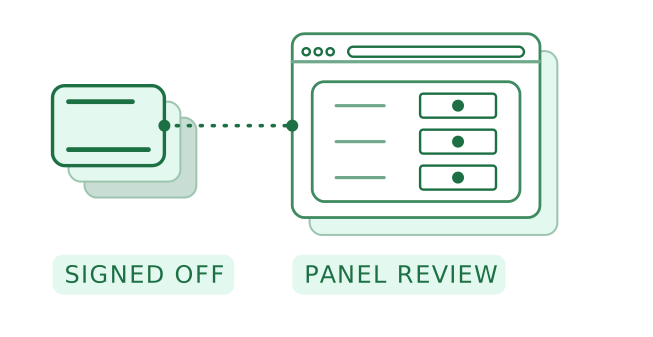
- Browser PluginChrome and Edge
 03
Online panel reviews, filled in place
When a client runs its panel review online, the Browser Plugin fills each field from the firm’s signed-off answers, flags the ones it couldn’t match and leaves submitting to your team.
The work around the advice
Everything a client asks of the firm, except the advice.
Deal diligence
Buyer or seller, each request answered from the data room.
Acting for a seller, EA drafts each round of the buyer’s requests from the client’s data room documents, with the document behind each answer, and flags what the room doesn’t hold. Acting for a buyer, it drafts the factual sections of the report from your team’s review notes, each with its source. The findings stay with your lawyers.
Sell-side due diligence, round by round
Then the deal team
- The associate checks each answerAgainst its data room document
- Raises the missing lease with the client
- The deal partner approves the roundThen the team posts it
Pitches and panel tenders
Partners finish the pitch instead of starting it.
When a client asks the firm to pitch or re-tenders its panel, EA drafts the credentials, matter experience, diversity and ESG sections in the client’s template from what the firm has already approved, and briefs each partner on the scored questions they own.
Bids and tenders in EAThen the pitch team
- Chooses the matters to citeFrom the list EA proposed
- Partners write the scored answersEach from EA’s brief
- The lead partner approves the response
High-volume matters
Each new file read before the lawyer opens it.
For teams that run many similar matters, EA reads the incoming document pack, drafts a structured brief of the matter, flags each document that’s missing and drafts the client’s status update. The lawyer checks the brief and sends the update.
Then the conveyancer
- Checks the briefAgainst the pack
- Asks the developer’s solicitors for the warranty
- Sends the client’s update
EcoVadis and CDP
Clients ask about the firm’s footprint too.
When a client invites the firm to an EcoVadis assessment or asks for its CDP response, EA links each answer to the policy or record behind it, carries forward last year’s approved answers and marks the ones that need evidence.
EcoVadis assessments in EAThen the firm
- Facilities confirms the figures
- The operations director sets the travel target
- The responsible partner approves the submission
Where EA stops
EA drafts. Your lawyers advise.
EA is a tool for the firm’s own people. Each draft goes to a qualified person, and the solicitor who approves it stays responsible for what the firm says.
What EA does
- Drafts from the firm’s own sources
Precedents, policies, past responses and the documents you connect, with the source beside each answer.
- Flags what it can’t evidence
An answer with no approved source is marked “Needs evidence” and goes to the person who holds the facts.
- Asks inside the firm
Each question goes to the colleague who holds the answer, and EA follows up. Anything for a client or a counterparty is sent by your team.
What stays with your lawyers
- The advice
Legal advice, and how the firm states its own position, stay with the qualified person who approves the draft.
- Decisions on the matter
Accepting a risk, agreeing terms, exchange and completion are for the lawyers on the matter.
- What leaves the firm
Nothing reaches a client, a buyer or an insurer until a partner has approved it.
Why EA for law firms
Other tools help a lawyer think. EA finishes the job.
| Compared with | What it does well | What EA adds |
|---|---|---|
| Doing it by hand | A capable risk team gets it done, from last spring’s response and a lot of emails to partners. | Takes the drafting and the asking; the risk team keeps the judgement and the partners keep their matters. |
| Legal AI tools | Research, drafting and review on the matter itself. | Completes the work around the advice, from the panel questionnaire and the pitch to the buyer’s request list, through to a partner’s sign-off. |
| Questionnaire software | Keeps a library of past answers and sends questions to the right expert. | Carries the same signed-off answers into the renewal and the Lexcel evidence, and writes them into each client’s own document. |
| A general AI assistant | Turns whatever a lawyer pastes in into a quick first draft. | Drafts from the firm’s current policies, takes each section to its owner and shows which partner signed off. |
EA’s own security
Held to the standard your clients hold you to.
- Hosted your way
EA’s cloud in a region you choose, hybrid options or on-premises. Data never used to train the models EA runs on.
- Access
Single sign-on, which you can enforce, and an access list for each workspace.
- Support access
EA staff see your data only in a time-limited window you open.
- Testing
An independent firm runs a penetration test on EA every year.
- Security contact
EA’s security team is at security@eaglobal.ai.
Open a client’s workspace in the demo, and your Head of IT sees exactly who else can.
What you’ll hand EA
From the panel review to the Lexcel visit.
Clients’ questions
- Panel reviews and client questionnairesDrafts each answer from the firm’s policies and past responses, in the client’s own document.On each client’s timetable
- Vendor security assessmentsAnswers clients’ information security reviews from the firm’s policy and current certificates, in the client’s own format.At onboarding and renewal

 CDP responsesCarries forward last year’s approved answers and drafts the rest from the firm’s emissions figures.Each year a client asks through CDP
- Clients’ own sustainability questionnairesAnswers clients’ carbon and supplier questions from the firm’s environmental policy and figures.As clients report
The SRA, insurers and the Law Society
- AML firm-wide risk assessmentDrafts each review from last year’s assessment and the firm’s current records, so each AML answer the firm gives draws on it.Kept current, reviewed at least yearly
- The SRA’s AML questionnaireDrafts the firm’s answers for its supervisor from the same records as the risk assessment.When the SRA asks, by its deadline
- PII proposal formStarts from last year’s answers, asks Finance for this year’s fee income and flags what has changed for the COFA to describe.Each renewal
- LexcelDrafts the evidence index for each visit against the standard.Visits in years one and two, reassessment in year three
- Cyber EssentialsDrafts the yearly self-assessment that criminal legal aid contracts require, from the firm’s IT policies.Renewed every year
FAQ
Law firms ask these first.
The longer questions are for the demo.
Each draft cites the policy or past response it came from, and nothing reaches the client until the Relationship Partner approves it. If a client asks how the firm supervises trainees on secondment and the supervision policy doesn’t say, EA marks the answer “Needs evidence” and asks the COLP.
Only the people you give access to. Each client’s questionnaire and its client-specific answers sit in that client’s workspace; the firm’s policies sit in a shared one. EA draws on the shared policies and that client’s own workspace together, so one client’s details stay out of another client’s response.
Most won’t need to open it. Practice heads get their questions in Teams or by email and reply there. The Relationship Partner reviews the finished response in EA, from a desk or a phone browser.
Yes. Before each maintenance visit, EA drafts the evidence index against the standard from the firm’s policies and records, and marks each requirement it can’t evidence for the risk team to follow up.
Export what panels already ask for from your document management system, or upload it as it is: policies, the insurance schedule, certificates and last year’s responses. Our Customer Success team helps with the export, and EA also connects to SharePoint, OneDrive and Google Drive. Plans differ by the number of autofills, the workspaces you need and the size of your knowledge library; see the pricing page.