

Document Archiving: Keeping Superseded Files Out of Live Bids
Old versions of policies and certificates often stay in shared folders long after they have been retired, and they resurface in responses when someone searches the wrong place. This article shows how to archive superseded documents so they stay available for records but out of live work.
By EA Team
Contents
- Why old versions stay visible
- Defining what retirement means
- Making the archive easy to trust
- How EA keeps current sources in view
- Deciding what counts as superseded
- Telling colleagues what has been retired
- Keeping the archive out of search results
- A retirement routine that holds
- Where this leaves your live library
A sustainability lead updates the environmental policy in the spring and uploads the new version to the shared library. The old version stays in the same folder, because nobody was sure whether it was still needed. Six months later, a bid coordinator working on an engineering tender searches for "environmental policy" and picks the first result, which is the old version. The response describes a target that the new policy has already revised, and the error is caught only at the buyer's clarification stage.
The old file looked legitimate, and nothing in the folder marked it as retired.
This article explains why old versions stay visible, what a retirement step has to do, and how to keep an archive that records staff can trust and bid teams do not stumble into. It also shows where EA keeps the link between an answer and its approved source, so a retired document is less likely to reappear in a live response.
Why old versions stay visible
Teams tend to keep old versions for good reasons. They may be needed for audit records, for a customer's contract that refers to the earlier wording or for a reference that a past bid relies on. The problem arises when the same folder holds both the old and the new versions, and no step separates them.
Deletion is not the answer. An organisation may need to show what a policy said at a particular date. The aim is to keep the record while stopping it from being used as current.
Defining what retirement means
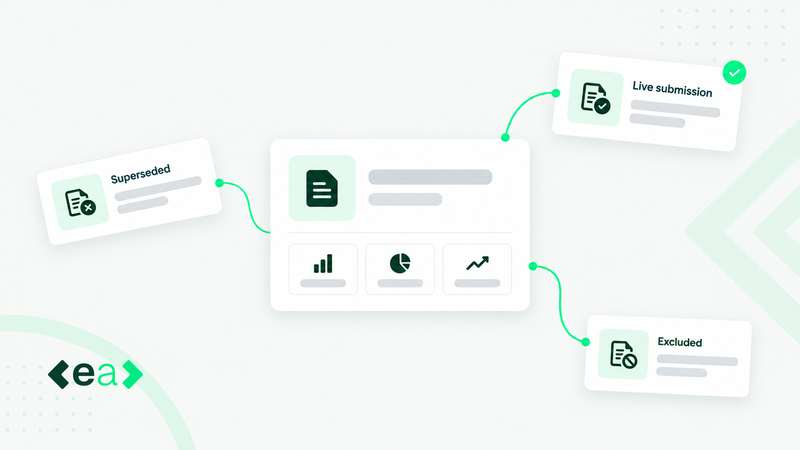
A document is retired when a newer approved version replaces it. The retirement step should happen at the same time as the approval of the new version, and not weeks later when someone notices the old one. It has three parts: the old version moves to an archive, the archived file is labelled as superseded with its replacement date, and any live answer that relies on it is updated.
The archive should be easy to reach for audit and records, but it should not sit alongside current documents where a search will return it. A separate folder, with a clear name, does this well.
Making the archive easy to trust
Name archived files so they are unmistakably historical. Include the word "superseded", the version and the date it was replaced. A reader who opens the archive should see at once that the file is not for live use.
Keep a short register of retired documents, with the date of retirement and the name of the replacement. The register answers the question "was this still current on that date?" quickly, which matters when a buyer asks about past practice.
How EA keeps current sources in view
EA answers from approved documents and shows its sources, so an answer carries the document it relies on. That makes it easier to see whether the source behind an answer is the current one. When a policy is replaced, the answers that rely on the old source can be found and reviewed, and do not have to be discovered by chance in a bid. Answers carry statuses and version history, so the team can see when an answer last changed and who approved the change. Our article on keeping a shared link working after the document changes covers how links behave when files move, which is closely related to retirement.
EA does not archive documents for you, and it does not decide when a document is superseded. Those are decisions for the document owner. What EA gives the team is the connection between an answer and the approved source it uses, so the owner can check whether that connection still holds after a change.
Deciding what counts as superseded
A document is superseded when an approved replacement is in force, but some documents need more care. A version referred to in a signed contract may need to stay accessible for the life of that contract, even though it is no longer used for new bids. Keep it in the archive, labelled with the contract it supports, and do not delete it or leave it in the working folder.
Drafts that never reached approval should also leave the working library, once their content has been reviewed. A draft that is not approved has no place in a live submission, and keeping it in the same folder invites the same mistake that retired policies cause.
Where retired wording still appears in an answer library, the owner should check whether it is cited by name or quoted in full. Our article on DDQ approval decisions across channels shows how decisions on answers are recorded, which helps when an approver needs to confirm that an answer now cites the replacement.
Telling colleagues what has been retired
Retirement only works if the people who use the library know it has happened. When a policy is replaced, send a short note to the bid, sales and account teams: the document name, the date the new version took effect and where the archived copy now sits. A note takes minutes, and it stops a colleague who saved the old file from quietly reusing it.
Evidence that has been used across more than one cycle needs the same clarity. Our article on how EcoVadis evidence history carries between assessments describes how a dated trail shows which version was used in each cycle, and the same trail helps a team explain a retirement to a buyer who remembers the earlier wording.
Keeping the archive out of search results
Search tools index whatever sits in the folder, so an archive stored in the same workspace will surface in results. Where your system allows it, restrict the archive to the people who need it for records. Where it does not, put the archive in a separate location with a clear name, and check each quarter that the working search results show only current documents.
A retirement routine that holds
Agree that every approved replacement triggers a retirement step. Make the owner of each document responsible for moving the old version to the archive on the day the new one is approved.
Check the working library before each major bid. Look for any file whose name or date suggests it has been replaced, and move it if it has.
Review the archive once a year, and remove files that no longer need to be kept under the records policy. This keeps the archive useful and stops it becoming a second library of uncertain documents.
Where this leaves your live library
Old documents are part of the record, but they should not be part of the working set. A clear retirement step, a separate archive and a short register keep the current policy in front of the bid team and the old one available for records. EA helps by showing the source behind each answer with its version and approval, so a retired document is less likely to reappear in a live response.
Pick one policy that was replaced this year and check whether the old version is still in your working folder. Move it to an archive with a superseded label. To see how answers show the source they rely on, open a sourced answer in EA and check its citation.
Filed under RFPs, Tenders & Questionnaires, 24 November 2026All posts