
Reviewing a Printed Draft on the Train, Then Carrying the Changes Back
A reviewer marks up a printed draft on a train, then the comments sit on paper until someone retypes them. This article shows how to capture offline review notes against the right answer, so the working draft reflects the review and the next reader knows why each change was made.
By EA Team
Contents
A bid director reviews a 60-page response on the train to a client meeting. He has two hours with no screen to rely on, so he prints the draft, marks it in pen, and writes three pages of notes on the back of the agenda. He is careful and thorough, and the comments are good: a claim about staff certifications is out of date, one answer contradicts the case study on page 12, and the executive summary buries the main point. He hands the marked copy to the coordinator on Monday. She has the working draft open on her screen and the printed copy on her desk. Eleven of the comments are clear. Four need a conversation. Two are written in a way that makes her wonder whether they were meant for another bid. She retypes the changes that seem obvious, sends a message asking about the rest, and the answer goes out with one error that the director would have caught.
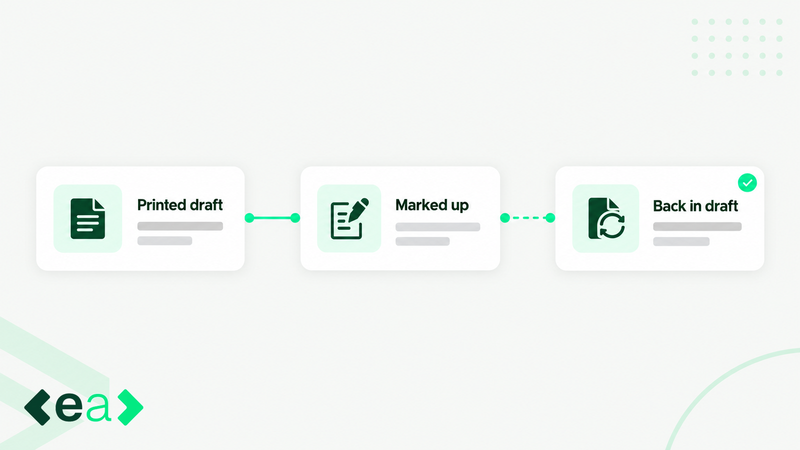
This article shows how to capture comments made on a printed draft, attach each one to the answer it refers to, and carry the changes back in a tracked, named step. The result is a working draft that reflects the review, with the reasons for each change still visible.
Why paper comments lose their place
Paper comments are attached to a position on the page, not to the answer. When the page moves between printouts, a comment written in the margin of page 14 may refer to a sentence that has since changed. A reviewer's note such as "not sure about this" does not say which claim it means, and the person carrying the change back has to guess.
The problem gets worse when several reviewers mark up separate printouts. Two people may flag the same sentence in different ways, and the coordinator has to reconcile them without a clear record of who said what.
Give every comment an address
The fix is to make each comment point to one answer, with the reviewer's name and the date. When the reviewer works offline, they can still write down the question number and the first few words of the answer, which is enough for the coordinator to find the right place. Ask reviewers to use the same format, such as "Q4.2, staff certifications, out of date".
A tick or a line through a sentence says what to change, but not why. Ask reviewers to add a few words explaining the reason for any substantive change, such as "certification expired in June" or "conflicts with the case study on page 12". The reason helps the coordinator make the right edit and helps the approver judge whether the change is sound. It also helps later: when a similar answer is written for the next client, the reasons show which points tend to be wrong, so the team can tighten the source material before the next review.
In EA, comments are attached to the answer itself. Named reviewers and approvers can leave comments in place, and the comment stays with that answer, so the next person who opens it sees the question and the response in context. Version history records the changes made after review, which shows the carry-back as a visible step.
Make the carry-back a named step
Decide who carries the changes back, and when, before the printed draft leaves the office. The coordinator is usually the right person, and the important thing is that the rule is written down. Set a deadline, perhaps the same day the printed copy is returned, and agree that every comment is either applied, answered or escalated before the draft moves on. Writing this into the cover note on the printout sets the expectation in advance. A reviewer who knows their comments will be tracked to closure writes clearer comments, and a coordinator who knows the rule can plan the day.
Use a simple tracker for the carry-back. For each comment, record the question number, the action, and the owner. Mark it closed only when the change is in the working draft and the reviewer has confirmed it. A tracker of this kind makes it easy to see what is still open, and it means the reviewer does not have to hunt through the draft to check whether a point was handled.
Know when to return to a screen
Some comments need a conversation, and offline review is not the place to settle them. A comment that changes a commitment, or that touches a client's confidential detail, should go to the approver in writing and be discussed before the answer changes. Approval decisions across channels explains how these decisions can be recorded against the answer, whichever channel the reviewer uses. External requests and internal approval makes a similar point about routing decisions through the people accountable for them. The aim is that no important change depends on a memory of a train journey.
Manage several reviewers on one printout
Sometimes several reviewers mark the same printed copy, and the margins fill with different handwriting and different opinions. Agree a simple rule before the printout circulates: each reviewer uses a different colour, initials every comment, and writes the question number at the top of the page. Without that, the coordinator spends the carry-back trying to work out who said what.
When two reviewers disagree, do not settle the matter in the margin. Note both comments against the answer, mark the point for the approver, and let the approver decide. The disagreement is useful information, and it should be visible to the person who signs off the response.
Keep the working draft as the single source
A printout is a snapshot, and a snapshot starts to drift the moment the working draft changes. Make the working draft the only version that counts. When the carry-back is complete, the printed copy should be marked as superseded, with the date, so no one picks it up later and treats it as current.
A printout that leaves the office can be lost, photographed or left on a train. Keep the printed copy within the bid file, mark it as confidential if it contains client detail, and destroy the paper once the changes have been carried back and checked. The working draft is the record; the printout is a temporary aid.
Once the changes are in the working draft, recheck the answers the reviewer marked. Changing one sentence can alter the sense of the answer around it, and a second read catches the knock-on effect before the approver sees it.
Make the review worth the reviewer's time
Think about the reviewer's own time. A review that is captured in one sitting, with comments addressed to specific answers, is far more useful than a long document of general impressions. Ask reviewers to finish with a short summary of their top three concerns, so the coordinator knows where to start.
Let the reviewer see it was handled
Printed review has a real place in a busy diary, and the reviewer's judgement is the most valuable thing in the process. Protect that judgement by giving each comment an address, recording who made it, and making the carry-back a step that someone owns. The draft then reflects the review, and the reviewer can see that it does.
If your reviewers often work away from a desk, book a demo with EA and we can show how comments and approvals stay attached to each answer, whatever channel the review starts in.
Filed under RFPs, Tenders & Questionnaires, 30 October 2026All posts