
How to Stop Two People Drafting the Same Bid Answer
In a busy bid, two people often draft the same answer while another sits untouched because everyone assumed someone else had it. This article shows how to make ownership of each answer visible, so work is neither duplicated nor dropped.
By EA Team
Contents
This article covers why shared drafts lose their owners, how to give every answer one named owner and a visible status, how to keep input in comments instead of parallel drafts, and how to make handovers and reassignments visible. The aim is that anyone can see who is working on an answer at a glance.
Why shared drafts lose their owners
In most bid processes, questions are divided by a spreadsheet or an email. The division is accurate on the day it is made, but it goes out of date as people move between tasks, take leave, or pick up a question in a meeting. The spreadsheet still says one thing, while the work says another. Nobody is at fault, but the team has no reliable record.
Ownership also blurs when work is shared. A question that needs input from two people has no single owner, so each assumes the other is leading. The result is either duplicated drafting or a stall while each person waits for the other to start.
Give every answer one owner and a status
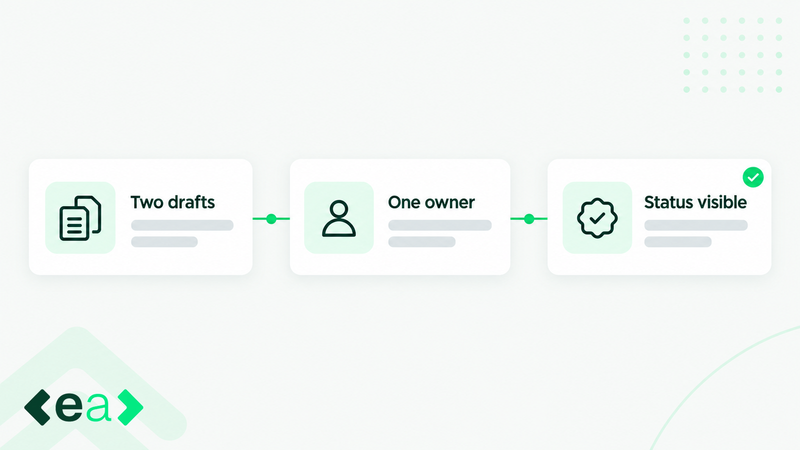
The simplest fix is one owner per answer, and one status that says where the answer is. In EA, each answer can be assigned to a contributor, and the contributor is the person who can edit it while it is not yet approved. Answers carry statuses, so a draft, a checked answer, a reviewed answer and an approved answer are different states that everyone can see.
That structure answers the question directly. Open the answer, and the assignment and status show who is working on it and how far it has progressed. A question that is assigned to nobody stands out at once, and so does a question that has been in draft for a week.
Make the assignment rule explicit
Decide how questions are assigned before the bid starts. A reasonable rule is that each question has one owner who is responsible for the final answer, and any helper is named in a comment and does not start a second draft. If a question needs two specialists, name the lead and ask the second person to comment on the lead's draft.
Some questions fall between teams. A question about business continuity may touch operations, information security and the commercial lead, and each may assume another has it. Give these questions a single owner from the start, even if that owner must gather input from others. The owner's job is to make sure the answer exists, and not necessarily to write every word.
Keep a short list of recurring cross-team questions in the answer library, with the usual owner and the usual helpers. When a similar question arrives in the next bid, the assignment is already decided, and the team does not have to negotiate it again under deadline.
Use comments for input
Input from a colleague belongs in a comment on the answer, and not in a second version of it. Named reviewers and approvers can comment in place, and those comments stay with the answer for the next person to read. A specialist who knows a figure has changed can say so on the answer itself, and the owner can update the draft with the source attached. The owner stays accountable for the words, the helper contributes knowledge, and the reviewer sees both in one place. How approval decisions work across channels describes how those decisions are recorded when the review starts in a different channel.
Make every handover visible
When work moves from one person to another, the status and the owner should change together. A draft that moves from the specialist to the coordinator for final editing should show the change, so the coordinator knows the answer is theirs now. A handover that happens only in conversation is the most common way a question ends up with two people, or none.
A short handover note on the answer, saying what is done and what remains, prevents the new owner from starting from scratch. It also means the reviewer sees who has taken over and what they are expected to check, so nobody approves a draft that no longer has a clear author.
Check ownership at a fixed point
Even a clear system needs a regular check. Hold a short stand-up at the start of each bid week, and walk through the answers that have no owner, no recent status change, or a status that has not moved in several days. Each one gets a name and a date. The meeting takes ten minutes, and it prevents the Friday discovery.
Use the same check for answers that have been approved. An approved answer that is reopened for a change should go back to a named owner, with a note of why. That keeps the record honest and makes sure the change is reviewed again.
Route the question to the right specialist first
Ownership works best when the owner is the right person. A question about a regulated process should go to the specialist who runs that process, and not to whoever is free. Routing tender questions to a specialist describes how to match questions to subject owners before drafting begins, which prevents the early reassignments that often leave an answer stranded.
Once the owner is named, the first task is to confirm they have the source they need. If the owner cannot see the evidence, they will either ask for it or draft from memory, and both cost time. Check access alongside ownership at the point of assignment, so the owner starts with what they need.
Make ownership visible to everyone
A named owner, a visible status, and comments for input turn hidden knowledge into a shared record. The team spends its time on the answers, not on finding out who is writing them.
If your bid team has ever found two drafts of the same answer, book a demo with EA and we can show how assignments and statuses look across a live questionnaire.
Filed under RFPs, Tenders & Questionnaires, 4 November 2026All posts