
How to Fix a Stalled Approval Workflow
A draft that sits idle often has reviewers who each assume someone else is holding it. Here is how to make the next holder of a review visible, and how to keep that record attached to the answers themselves.
By EA Team
Contents
This article covers why a shared review drifts, how to separate the reviewer's role from the approver's, what visible ownership looks like on an answer, and how to set it up before your next bid. The aim is that the next step is never a guess.
Why a shared review drifts
A review usually moves through a chain of hand-offs, and each hand-off is a point where ownership can quietly disappear. The person who finishes a section sends it on with a short note. The next person opens it, reads the note, makes a few edits and sends it back or forward. Each message describes the work done, but few describe who now holds the section. After three or four rounds, the document carries a long email chain and no clear answer to the question "whose move is it?"
This matters most in the final days before a deadline, when several sections are still open and people are working on other bids. A reviewer who is waiting for an answer from a colleague may not realise that colleague is waiting for them. The status of the section looks like "in progress", which describes the activity and says nothing about the holder.
Two roles that often get blurred
Two roles are easy to confuse. A reviewer checks that a specific answer is accurate and supported by evidence. An approver decides that the whole response can be submitted. When these roles are blurred, a reviewer may believe their check covers sign-off, while the approver assumes every section was checked. Both can be right, and the document still goes out without anyone having looked at the whole picture.
Separating the two roles solves most of this. The reviewer for a section is responsible for that section's accuracy. The approver is responsible for the decision to submit. Each should be a named person, because a team name gives everyone and no one the task.
Comments close the loop. A reviewer who writes what they checked, and what they could not confirm, gives the next person a clear starting point. Without that note, the next reviewer has to repeat the work just to learn what state it is in.
What visible ownership looks like
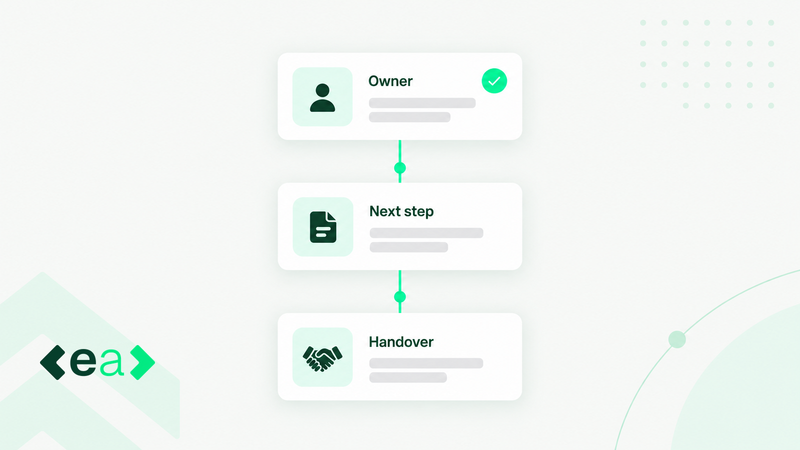
Visible ownership has three parts you can check at a glance. The first is one named holder for each answer or section. The second is a short note on the next action, such as "waiting for the ISO certificate date" or "legal needs to confirm the liability wording". The third is a status that shows where the answer sits: still being drafted, under review, or approved.
Status and history do different jobs. The status tells you where an answer is now. The history shows who changed it and when, so if a figure moves between drafts, the change is visible without anyone having to rebuild it from memory.
Where ownership cannot be automated
Software can show who holds a step. It cannot decide who should. Choosing the infrastructure lead for cloud answers, or deciding that the finance director must approve any figure over a set threshold, is a judgement about the firm's accountability. That decision belongs to the people who carry the responsibility, and it differs from one firm to the next.
Ownership also shifts during a live bid, because someone falls ill or moves to another project. Visible ownership makes that shift easier to spot, but a person still has to reassign the section and tell the new holder what state it is in.
How EA keeps the next step on the record
EA records ownership on the answer itself. Each answer can carry named reviewers and approvers, and reviewers can leave comments on the answer, so the reasoning sits next to the text it concerns. Answers also carry statuses and version history, which means the team can see both where an answer sits and how it got there. The holder, the state and the trail all live in one place.
Reviews do not have to happen in one place either. EA's approval flows run across email, Slack and Teams, so a reviewer can respond from the channel they already use, and the approval is still recorded against the answer. We covered how this works in our article on approval decisions across channels, and the wider question of who makes the call on external requests is in how external requests get internal approval.
Because the holder is named on the answer, the person who opens the draft on Thursday can see who is holding it without sending a message first.
A practical setup for your next bid
Before work starts, agree the reviewer for each section and the approver for the full response. Write the names into the first comment on the draft or next to each answer, so the structure is visible from day one.
Set a clear definition of done for each reviewer. "Checked against the current policy, and the renewal date confirmed" is far more useful than "reviewed". When a reviewer finishes, they should update the status and state what they checked, so the approver knows what the sign-off covers.
Finally, look at the status of every answer each morning during a live bid. Any answer still in draft with no named holder is the one most likely to become a problem on Friday at noon. You will see it while there is still time to assign it.
Make the next step obvious
Most stalled drafts have capable people at every step. What they lack is a clear answer to the question "whose move is it?" Naming reviewers and approvers, writing the next action and keeping the status current takes little time, and it removes the guesswork that slows a bid. EA helps by keeping that record with each answer, so your team can spend its time on the content that needs its expertise.
The next time you open a live questionnaire, check whether every section has one named holder and a current status. If a few do not, assign them before the next review meeting.
If stalled approvals are costing your team days on every bid, book a demo with EA and bring one live questionnaire, so we can show how named reviewers, approvers and statuses look on a real answer.
Filed under RFPs, Tenders & Questionnaires, 9 November 2026All posts