
Approving a Client Answer From Your Phone Between Meetings
A reviewer is on a train or between client meetings, and a client answer is waiting for approval. This article explains how to route approval requests so the reviewer can respond from whichever app is on the phone, and how to keep the decision recorded against the answer when the reviewer is away from a desk.
By EA Team
Contents
- Why approval waits for a laptop
- Send the request where the reviewer reads
- Make the request answerable in one glance
- Ask for the decision you need
- Agree which approvals need a desk
- Record the decision where the team can see it
- Avoid approvals that rest on a single person
- Use the approval record to plan the next bid
- Keep the reviewer's judgement at the centre
- Make the phone a workable place to decide
The pattern is familiar. A commercial director is due to approve a response to a public sector tender by Friday at noon, but she is in client meetings on Wednesday and travelling on Thursday. The bid manager sends the draft by email. She reads it between meetings, wants to check one figure in the attachment, and cannot open the file on her phone, so she promises to review it at her desk. By the time she does, the coordinator is chasing a figure that could have been confirmed in thirty seconds two days earlier.
This article covers how to route an approval request to the channel a reviewer actually reads, how to make the request short enough to decide from a phone, which approvals still need a desk, and how to keep the decision on the record. It is useful for any bid with senior reviewers who travel or sit in back-to-back meetings.
Why approval waits for a laptop
Two things cause the delay. A request that arrives in a tool the reviewer only opens at a desk waits until they reach that desk. A request that needs the whole document open, on a small screen, to answer one question gets put off, because the effort is out of proportion to the decision. Both are problems with how the request was sent.
Send the request where the reviewer reads
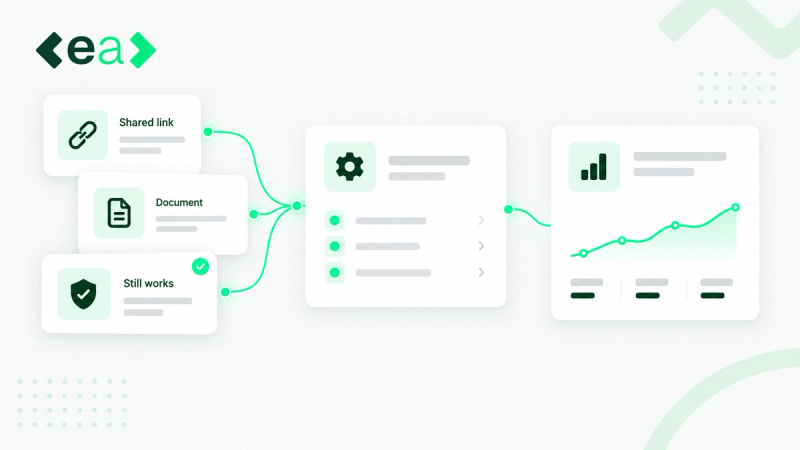
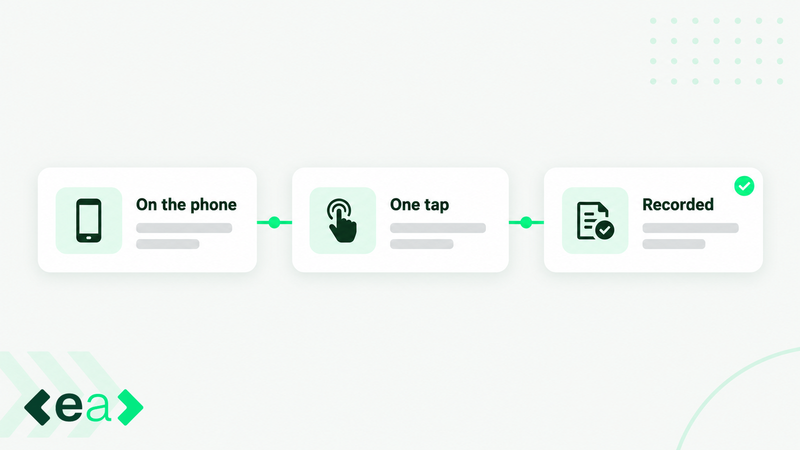
EA's approval flows run across email, Slack and Teams, so a reviewer can respond from the app they already have open. A request that arrives in Slack or Teams on the phone can be answered in a few taps, and the decision is recorded against the answer. An email request works the same way for people who clear their inbox between meetings.
Ask each senior reviewer which app they open first on their phone, and set their approvals to that channel. A short conversation at the start of a bid saves many delays.
Make the request answerable in one glance
A phone is not the place for reading a 40-page document. Make each approval request short enough to decide in a minute. State the answer, the question it responds to, the source it relies on and the decision needed, such as approve, return or hold.
Where a figure matters, put the figure and its citation in the request. Autofill shows citations for drafted answers, so a line such as "Turnover figure updated to the audited 2025 accounts, source cited" lets the reviewer approve without opening anything else.
Ask for the decision you need
Mobile approvals work best when the reviewer answers the question they are asked. If the decision is about a commercial commitment, ask about the commitment. If it is about a technical claim, ask whether the claim is correct. Save detailed feedback for a later moment, or let the reviewer write a comment on the answer when they have a longer window.
Named reviewers and approvers can comment on answers, and their comment and decision stay with the answer. The reviewer does not need to remember the reason for a change, because the reason is recorded where the change was made.
Agree which approvals need a desk
Some approvals need more than a quick reply. A change to a client commitment, a new claim about certification, or a response that names a third party may need a conversation, and a phone is less suited to comparing two versions of a long answer or reading a dense table. Agree in advance which kinds of answers can be approved from a phone and which must be reviewed at a desk, and make that rule visible to the team.
For the difficult cases, the request should say so. A note such as "needs a laptop review on Friday" tells the bid manager to plan for it, so nobody is hoping the approval will arrive in time. The reviewer should also feel free to ask for a desk review when a decision feels too large to make in a few minutes, and the routing rules should say so.
Record the decision where the team can see it
The approval must appear on the answer, with the reviewer's name, the decision and the date. That record is what the team relies on when the approval is later questioned, and it is what a client's assurance team may ask for. An approval that exists only in a text message is hard to prove and easy to lose.
Check the status of each answer before submission. Every answer should show an approved status with the approver's name, and any answer still waiting should be followed up at a fixed time.
Avoid approvals that rest on a single person
If one senior reviewer is the only person who can approve a category of answers, every trip they take becomes a bottleneck. Name a deputy for each approval type, and agree the rule for when the deputy can act. The deputy should have the same access to the answer and the same visibility of the source, so the decision is sound whoever makes it.
A deputy rule is also a safeguard. It means that a sound answer does not stall because a calendar is full, and the decision is still recorded against the answer.
Use the approval record to plan the next bid
Every mobile approval leaves a record: who decided, when, and on which answer. Over a few bids, that record shows where approvals stall, which reviewers are usually reachable at which times, and which kinds of answers need a desk review. Use it at the close of each bid to adjust the routing. A reviewer who consistently responds within the hour on Slack can have their approvals routed there by default, while a reviewer who needs a laptop for commercial answers can be planned for accordingly.
This turns a frustrating Friday into a planning exercise. The team stops relying on one person's diary and starts relying on a known, tested route. Approval decisions across channels explains how those decisions are kept in one record, whichever channel they came through.
Keep the reviewer's judgement at the centre
Mobile approval is a convenience, and the reviewer's judgement still decides. A reviewer who approves on a train should see the source and the risk, and should be free to ask for a desk review when a decision needs a full read. External requests and internal approval sets out how these routing decisions can be kept with the people accountable for them, which is the principle behind every mobile approval too.
Make the phone a workable place to decide
Approval should not depend on a desk. Route each request to the channel the reviewer reads on the phone, make the decision short and specific, include the source, and record the outcome on the answer. The reviewer keeps control of the decision, and the team stops waiting for a laptop to be opened.
If senior reviewers are often away from a desk during a bid, book a demo with EA and we can show how approval requests reach email, Slack and Teams and are recorded against each answer.
Filed under RFPs, Tenders & Questionnaires, 6 November 2026All posts