August has brought some big changes to EA. From getting started without signing in to bringing EA directly into your browser, asking better follow-up questions and connecting to 3,000+ new plugins.
These updates are all about making EA easier to use, better at understanding what you need and more capable of getting work done alongside you.
But that is only part of what is new this month. We have also made improvements across EA’s features, integrations and overall experience, giving you more ways to work with EA and get more from it.
Here is the full breakdown of what is new in EA this August.
1. Introducing EA Lite and EA Business
This month, we introduced two ways to work with the same EA.
EA Lite is designed to make EA as easy to access as possible. You can open it, start a conversation and get to work straight away.
EA Business brings the same agent into your organisation, with shared knowledge, permissions, approvals, automations and the integrations teams need to work together.
EA Lite
EA Lite is built around one idea: the shortest possible distance between a question and an answer.
EA Lite is free to use and gives individuals a fast and accessible way to start working with EA, with no complicated setup or account required to get started.
EA Business
EA Business is built for organisations that need more structure around the same agent.
Your teams can work from shared knowledge, connect EA to the tools they already use and manage how the agent accesses information and completes work.
2. EA now sits within your browser
The EA browser extension has been expanded from a single-purpose form-filling tool into a way to work with EA alongside whatever you are doing on the web.
You can now open a chat with EA beside any web page. Highlight text, right-click and select Ask EA, and the selected text will appear in the conversation alongside the page it came from.
This gives EA the context it needs to help without you having to copy and paste information between tabs.
With your permission, EA can also take control of a web page to complete tasks that require clicking, typing or scrolling.
For example, when completing a questionnaire, EA can ask for permission to take control and fill in the fields on your behalf. You can take control back at any time or stop the agent completely.
EA now works alongside you on the web, rather than requiring you to leave what you are doing to open a separate tool.
3. EA in your search engine
For most people, the browser search bar is where work on the web begins. Now, EA can be part of that experience too.
Set EA as your default search engine and search as you normally would. Instead of being taken straight to a page of links, you can go directly to an AI-generated answer, complete with sources.
This makes EA easier to access in one of the places people already spend most of their time online.
4. EA in the channels you already use
Not everyone wants to open another application to use an AI tool. EA can now be reached through the channels where work is already happening, including Slack, Microsoft Teams, and email.
The same EA you use in the platform can now be accessed through these conversations, with access to the exact same knowledge and connected tools to support you in every workflow.
4.2. Smart routing for multiple organisations
If you work across more than one organisation, EA can now help messages find the right place.
For example, if you use EA for both your personal life and work, you can describe each organisation in your own words to give EA the context it needs to understand where a new message belongs.
You can also decide how confident EA needs to be before routing a message to an organisation automatically.
If EA is not confident enough, it asks you rather than making the decision for you.
This means you can use EA across multiple organisations and channels (Chat, Slack, email, Teams) without having to manually direct every incoming message to the right organisation.
5. EA asks questions
One of the easiest ways for an AI agent to waste your time is by confidently doing the wrong thing, so EA has learned to stop and ask.
When EA needs more information, it can pause and ask a follow-up question directly in the conversation. You can choose from the option responses provided, add your own answer or skip the question and let EA continue with what it already knows.
This gives EA a better understanding of what you actually need before it moves forward.
Each question also has a timer. If you leave the conversation, EA can continue with the information it already has rather than waiting indefinitely for a response.
While the agent is waiting for you, it is not using your budget.
This means the agent is better at getting work right the first time, without creating unnecessary delays.
6. Automations that follow work through
Some work does not end neatly when a conversation does. EA can now help ensure that unfinished work does not simply disappear at the bottom of a chat.
When a conversation ends with a loose end, EA can set its own reminder to come back to it and follow up with you.
If something needs chasing next Tuesday, EA can follow up next Tuesday, without you having to remember it yourself.
EA can also support recurring work through automations that can be described in plain language rather than configured through a complicated control panel.
Every automation makes it clear who it belongs to, whether it was created by a user or by EA itself.
EA is designed to use this capability selectively, focusing on work that genuinely needs to be followed up.
7. 3,000+ new plugins and new ways to teach EA skills
An assistant is only as useful as the information and tools it can access.
This month, EA introduced more than 3,000 new plugins, making it possible to connect the agent to more of the systems that organisations already rely on.
Plugins now appear in a catalogue that you can browse, install and manage from one place within the platform.
Simply choose a plugin and select Install. You will be taken to the provider's own sign-in page and, once connected, the tool is ready for EA to use.
Each plugin also comes with instructions that help EA understand what the tool is for and how it should use it.
Teaching EA how your organisation works
We have also expanded the way organisations can teach EA how to complete specific tasks.
You can now write a skill from scratch, upload an existing one or build one through a conversation with EA.
The chat-first builder asks you questions about what the skill should do and creates an editable file that your organisation can review and refine.
Administrators can also control who has access to each plugin and skill, giving organisations more control over the tools available to different teams.
8. Company knowledge in everyday work
We have also updated the way EA handles workspaces and organisation-wide knowledge.
Workspaces are now focused on what they are actually there for: shared storage. Your chats, memories and permissions belong to the organisation, while search can span everything you are allowed to access across that organisation.
This makes it easier to find information without having to remember exactly where it was stored.
When EA provides an answer, it can also show where that information came from, helping users understand the context behind the response.
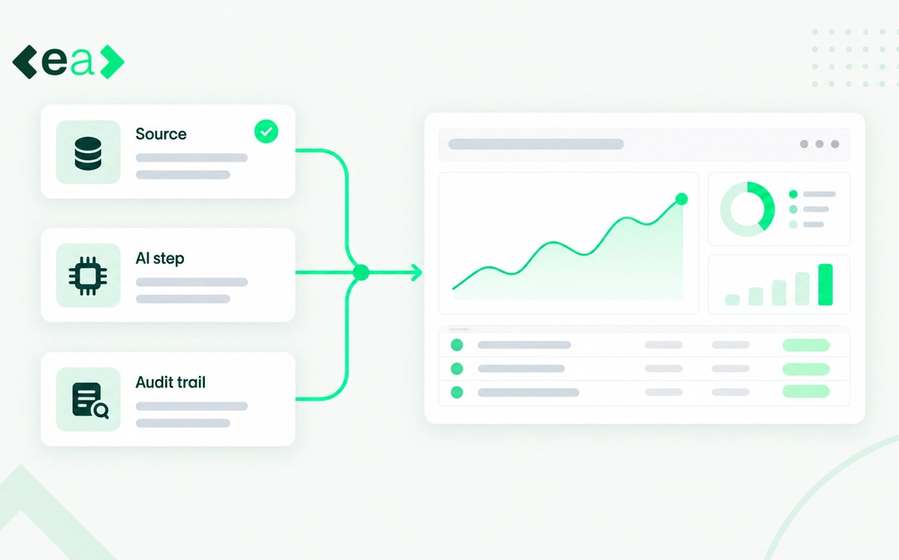
Workspaces also include a complete audit trail, providing a clear record of activity that can be reviewed when needed.
9. A new and improved memory system
EA is designed to remember what matters. The updated memory system keeps information about you, your organisation and how a particular agent is meant to behave.
Rather than searching through memories from scratch every time you start a new conversation, EA now carries a short written digest of the most important context into every chat.
This means EA can begin each conversation with a better understanding of the important things in your world.
You decide what matters
You can mark information as important when it is something you want EA to remember. These memories are guaranteed to remain in the digest, and EA cannot assign that status to information by itself.
You can see what EA knows
The memory digest is visible in your Memories page in plain language. There is no hidden profile or information that you cannot inspect or edit.
Your memories stay yours
Personal, organisation and agent memories are kept separate. Your colleagues can only contribute to or access the memories that they have the permission to use.
10. EA can now handle more complex work
Behind the scenes, we have rebuilt the environment EA uses to work with files, run scripts and complete longer tasks. This gives EA more room to take on complex work, including tasks that take longer to complete or involve multiple steps.
EA can now keep work running in the background while you continue the conversation, rather than treating every action as an isolated task.
For most users, this is an invisible change, but it creates the foundation for EA to take on more complex work over time, making EA more powerful than ever.
11. EA now stands for Executive Assistant
EA started life as Easy Autofill, built to help organisations complete forms and questionnaires.
But EA has grown into much more than a form-filling tool. Today, EA can work across your browser, your conversations, your organisation's knowledge and the tools your team already uses. It can ask follow-up questions, remember what matters, complete tasks and help move work through to completion.
So EA now stands for Executive Assistant to reflect exactly what EA has become for its users.
Autofill has not gone anywhere, it is simply one of the many things your Executive Assistant can do.
Book a demo here or try EA free to see these updates in action.