

AI Form & Questionnaire Automation for EPC / EPCF
One platform for everyform your project demands.
Vendor registration. Sanctions checks. ESG surveys. Tender submissions. EA handles every form type your EPC or EPCF team faces — drafting responses from your approved knowledge base.
The compliance burden that scales with every new project.
Every new project means another set of forms. Every new client means another vendor registration. Every new jurisdiction means another compliance standard.

New project, new stack of forms
The forms go out. Next month another client sends their own forms. Similar questions, different structure.

Chase five departments for the same answers
Finance for the accounts, legal for the sanctions declaration, sustainability for the ESG data, engineering for the technical.

Submit, then do it all again next quarter
You finally submit — there's no breathing room. Next quarter brings updated templates and revised requirements.
Three categories of forms. One platform.
- Vendor registration and prequalification
- Know Your Customer forms
- Contractor prequalification questionnaires
- Sanctions DDQs
- Anti-bribery and corruption questionnaires
- Third-party due diligence
- GHG emissions reporting
- SDG alignment and social value
- DEI surveys
Consistent answers. Every form. Every jurisdiction.
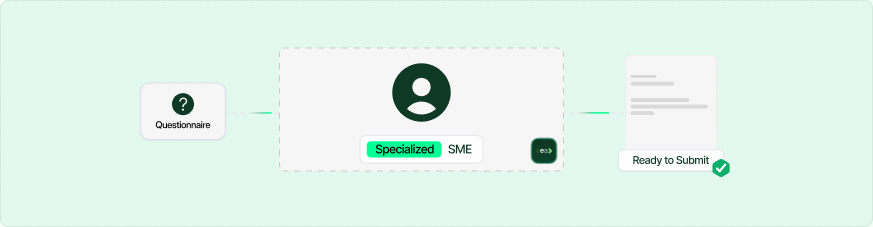
Subject matter expert routing
EA searches across your entire document library — quality manuals, procedures, policies, records — and surfaces the most relevant evidence for each requirement. No more manually digging through folders.
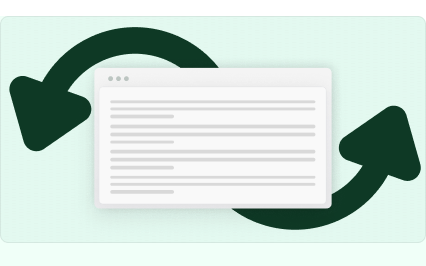
Automatic answer reuse
Previous approved answers populate new forms — adapted, not copied.
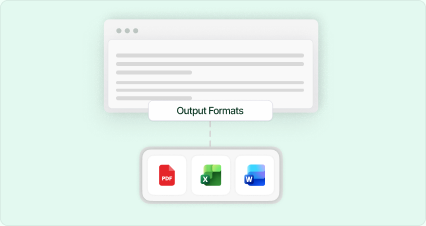
Original format export
Word, Excel, PDF, PowerPoint — EA exports the completed form in whatever format the client sent. No reformatting.
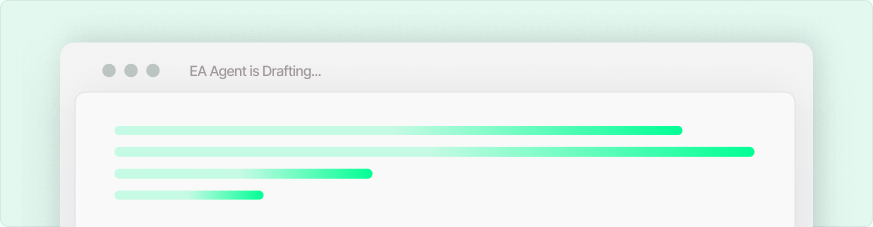
AI-drafted new responses
For questions you haven't seen before, EA drafts responses from your evidence documents, policies, and historical submissions in your company tone and compliance language.
Connect. Upload. Generate. Submit.

Sync your document library
Sync SharePoint, Google Drive, or OneDrive. Select your registrations, policies, and previous submissions.

Upload the requested form
Drop in KYC forms, DDQs, ESG surveys, or tenders. EA automatically drafts responses.

Route for expert review
Assign questions to subject matter experts. Add legal approval on answers where required, and refine with Chat.

Export, review, and submit
Download the completed form in its original format. All newly approved answers feed back into your knowledge base.
Frequently asked questions
How does EA complete an entire document?

EA reads every question in your uploaded form and matches it against your knowledge base — built from past submissions, policy documents, and team-approved content. It fills the whole form automatically, not one answer at a time.
What if a question has never been answered before?
EA will flag unanswered questions for your team to review and fill in manually. Every new answer you provide gets added to your knowledge base, making future forms faster.
How accurate are the answers?
Accuracy depends on the quality of your knowledge base. Most teams see 85–95% auto-fill accuracy from day one, improving over time as corrections are incorporated.
Is my data safe?
Yes. All data is encrypted at rest (AES-256) and in transit (TLS 1.3). We are ISO 27001 and Cyber Essentials certified and follow SOC 2 security practices. Your data is never used to train AI models.
Where does EA pull answers from?
EA pulls from your own document library — past submissions, policy documents, ESG reports, contracts, and any files you upload to your knowledge base. It never invents answers.
What happens when an answer changes or gets outdated?
You can update answers in your knowledge base at any time. EA always uses the most recent approved version of each answer.
What file formats does EA support?
Excel (.xlsx), Word (.docx), PDF, Google Docs, Google Sheets, and plain text. More formats are added regularly.
Does it integrate with our existing tools?
Yes. EA connects with Google Drive, OneDrive, SharePoint, Outlook, and Slack. A browser extension is also available for web-based forms.
My company is new to ESG reporting. Can I still use EA?
Absolutely. You can start by uploading your existing company documents — annual reports, policies, certifications — and EA will build your knowledge base from there.
How many people can use it in my company?
Plans start at single-user and scale to unlimited seats. Enterprise plans include SSO, audit logs, and dedicated support.
Why not just use ChatGPT or Copilot?
ChatGPT doesn't know your organisation's approved answers. It can't access your past submissions, it doesn't learn from your team's corrections, and it generates one answer at a time with no source tracing. EA returns a completed document from your approved knowledge base with a full audit trail — not a generic AI response you'd need to verify from scratch.
How does pricing work?
We offer per-seat monthly and annual plans, plus usage-based enterprise pricing for large volumes. See our pricing page for details.
Is there a free trial?
Yes. Start a free trial with no credit card required. Upload your first form and see EA fill it — before you talk to anyone.
Results From Teams Using EA.

This is not just saving me time
The AI is answering some questions in a way we wouldn't have thought of.
Intuitive Platform with Outstanding Support — A Must for B Corp Certification
As a Virtual Assistant supporting clients through their B Corp certification process, I've found EA to be an incredibly valuable tool. From my perspective, the platform is intuitive and user-friendly, which makes managing and organising the required documentation so much easier.
Bexi P.
Intuitive, Secure, and Seamless with Familiar Tools
It's very intuitive and enables me to still use Excel, Word and PDFs that I and my team are used to working with. Also much safer than Chat GPT or Copilot.
Andy H, C-3PO