

The ability to configure SSO setup on EA is now available to ADMIN level users only. If you are an admin follow the below steps:
1. Navigate to Account and Organisation Settings in the bottom left
2. Under the Single Sign-On sub-heading enter a custom identifier and click "Continue Setup"
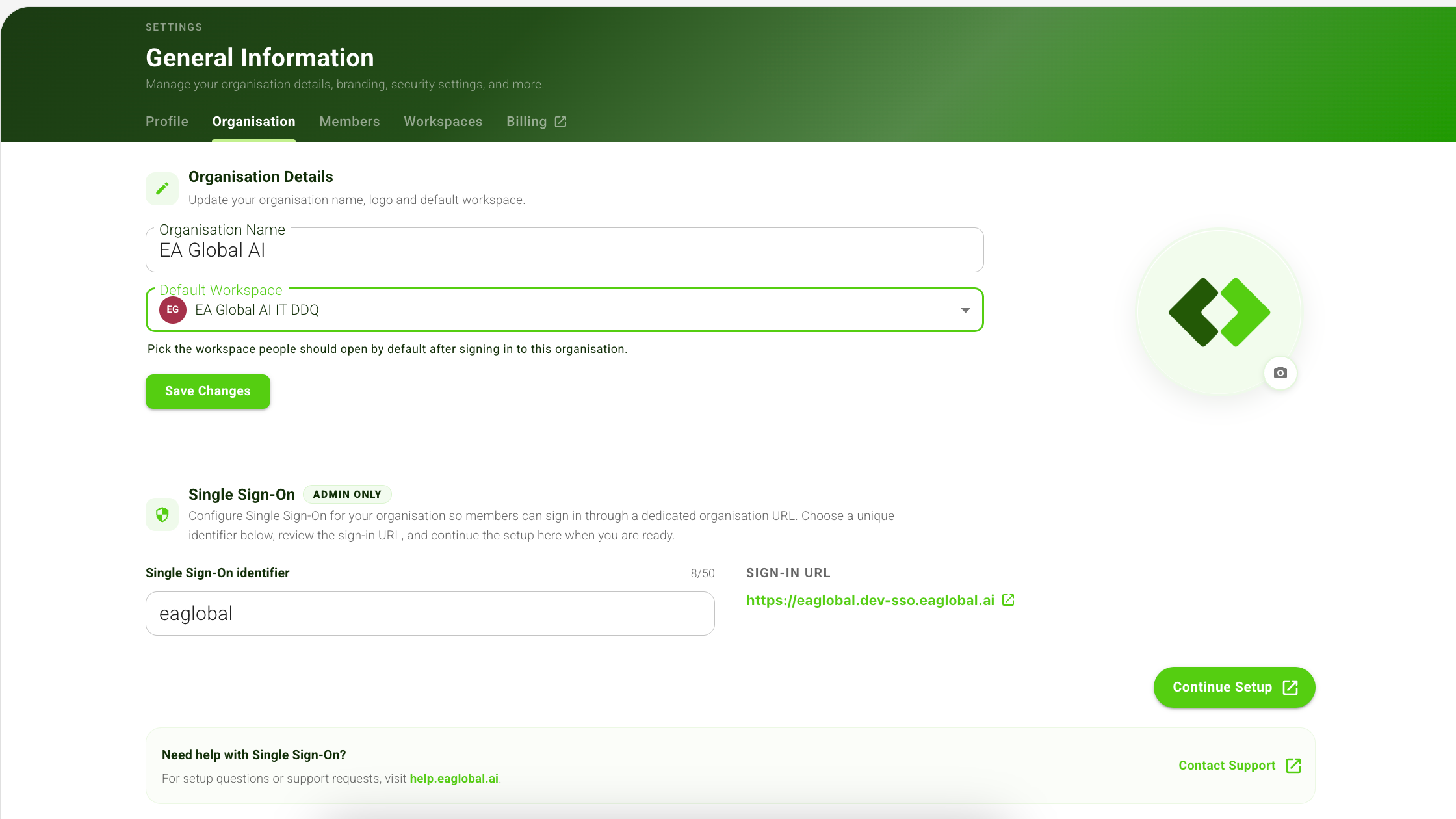
3. In the newly opened tab, click "Get Started" in the bottom right-hand corner
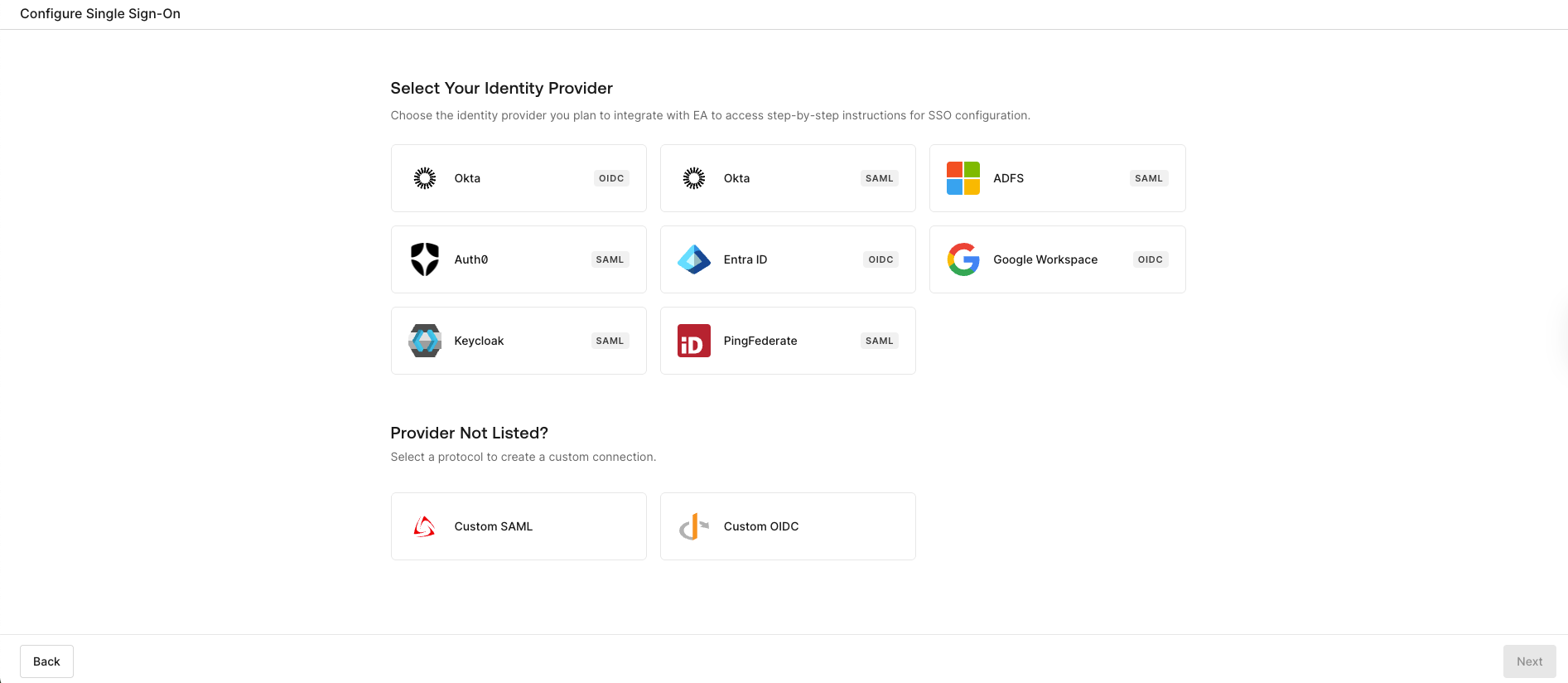
4. Select your organisation's identity provider and click "next".
Note: if your identity provider is not listed you can select from the avaiable protocols to create a custom connection
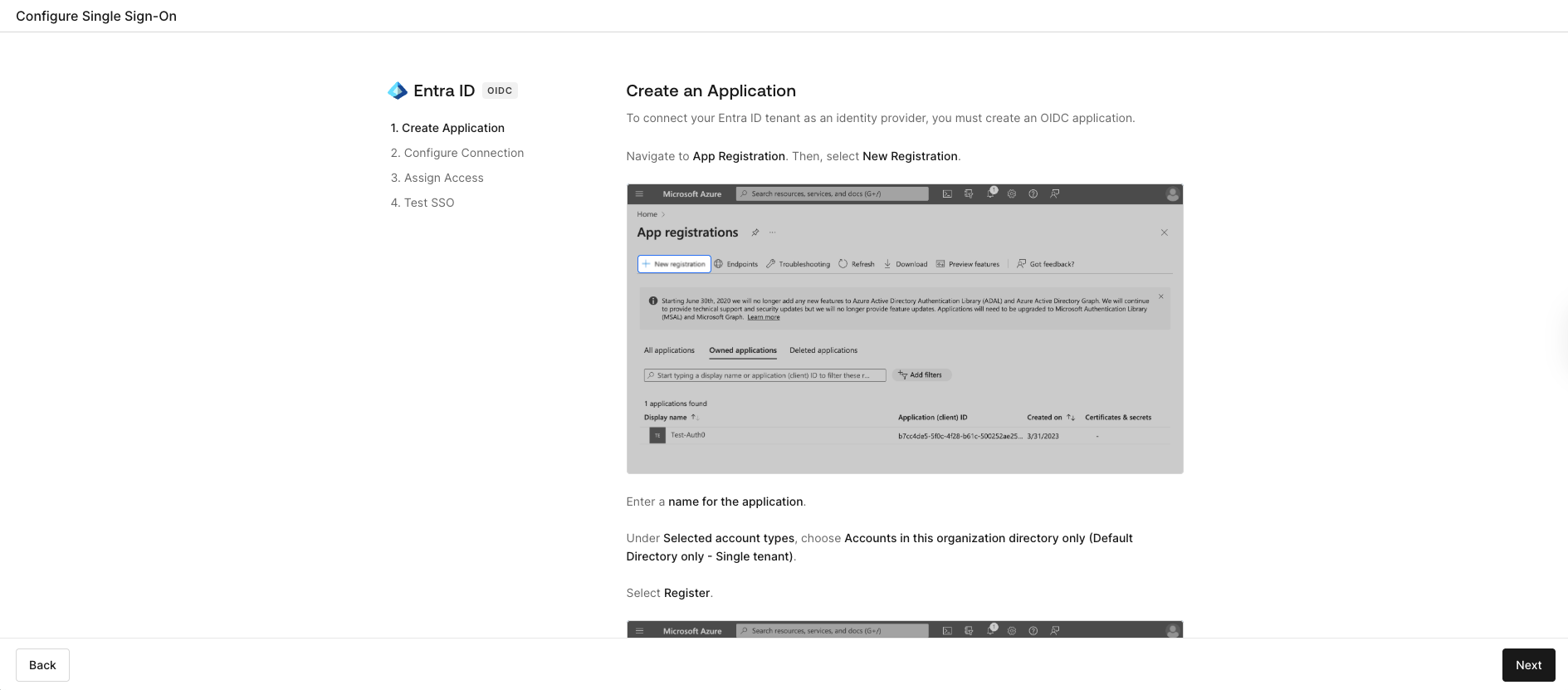
5. Follow the instructions on the next screen to gather the relveant data
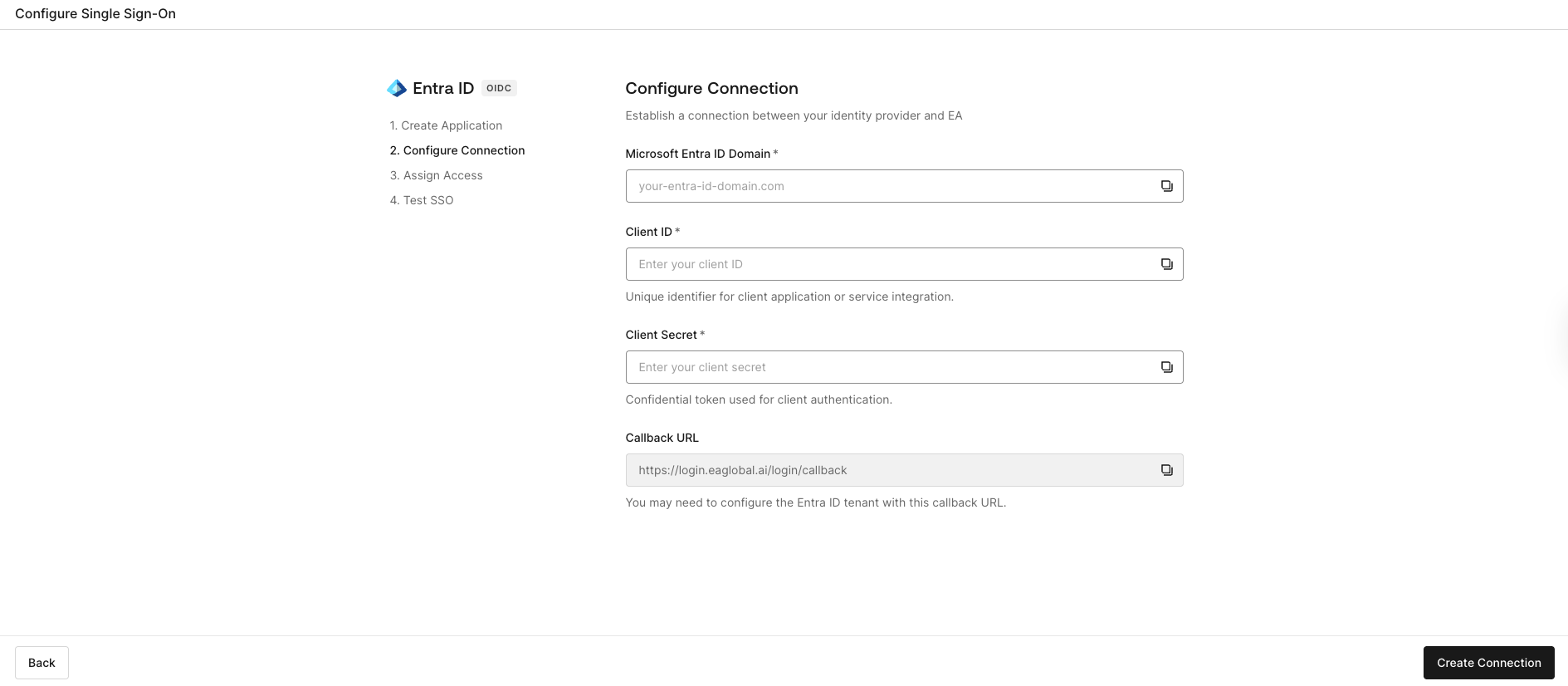
6. Configure the connection following on screen instructions, click "create connection"
7. Test the SSO.
Note: SSO will only be created when a successful test has been compelted.
8. Return to EA and click on the shield icon to require anyone access the EA platform from your organisation to use the SSO you have just created.