Most conversations within Slack are fast paced. It is a place where questions are asked, decisions are made, and tasks are created live. But, what slows your workflow down is what happens next.
An “I’ll check that,” message requires you to leave the conversation, search across multiple tools, and come back later with an answer. The flow of work gets interrupted every single time you move between systems to reach find answers and reach completion.
With EA Agents in Slack, that gap is filled.
EA Becomes Part of the Conversation
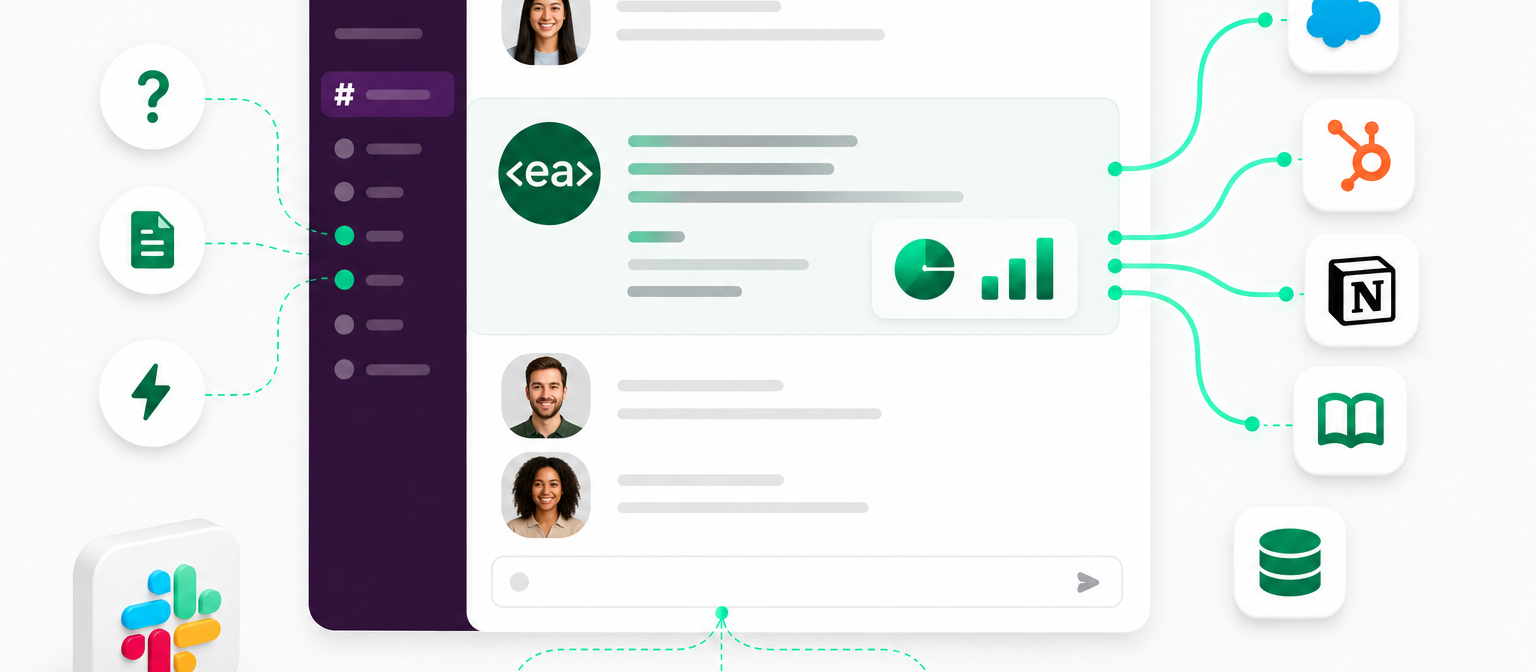
Instead of leaving Slack to find answers or complete tasks, you can bring EA directly into the thread.
By tagging your EA Agent in Slack, you can:
- Ask questions
- Request information
- Trigger actions
EA responds in context, using connected systems like Salesforce, HubSpot, Notion, Atlassian, and your internal Knowledge Base to retrieve relevant information.
Because EA is connected to the systems your teams already rely on, its answers aren't limited to what's been shared in the conversation. It can pull context from across your organisation, ensuring responses are informed, accurate, and up to date.
From Discussion to Action
So, what does this actually look like in practice?
Imagine a colleague asks for the latest update on a client account. Rather than opening Salesforce and searching for the information manually, you can tag EA and ask for a summary. The Agent retrieves the relevant information and responds directly in the thread.
Later, someone needs a document stored in Notion. Instead of searching through folders and links, EA can locate the document and surface the information within the conversation.
The same ease also applies to actions. If a questionnaire arrives and needs completing, or a document requires analysis, the request can be made directly from Slack by tagging the appropriate Agent to process.
With EA, instead of conversations ending with "I'll check" or "I'll get back to you," they can move forward immediately with the information or action required.
Work Stays Where the Conversation is Happening
The benefit is obvious, you no longer need to leave Slack to get things done.
EA sits inside the conversation, helping teams retrieve answers faster and take action without breaking their workflow or having to go through long procedures of adoption. Quite simply, see EA bot as the newest team member in your channel, your very own personal assistant.
Want to learn more about how EA Agents can transform your workflow on email? Read here.
Or, book a demo here to see the Agent in action.