
CDP first drafts
Start the CDP window with a draft, not a blank questionnaire.
EA helps enterprise teams create a stable baseline draft earlier, while keeping governance intact and fitting around the Excel-led review your stakeholders already use.
Try EA free. No card needed.
- In EA or Excelreview where your stakeholders work
- Your teamkeeps final review and submission

Where the time goes
The CDP window goes on assembly, not strategy.
You invest in sustainability strategy and data. But when the submission window opens, progress slows on rebuilding, coordinating, checking and re-keying answers.
Rebuilding
Copying across answers that have not materially changed since the last cycle.
Coordinating
Managing feedback and approvals across email threads and versions of the same Word file.
Checking and re-keying
Hunting through archived PDFs to validate claims, then retyping approved answers into the online response at the end.
How it works
Last year’s judgement, already in this year’s draft.
Prior responses become the baseline, each section has an owner, and reviewers work in EA or in the Excel they already use.
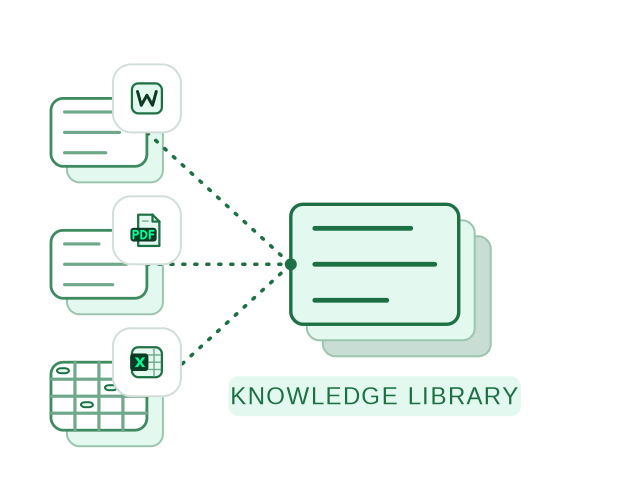 01
Your disclosures, kept and reused
Upload prior CDP submissions, policies and supporting documents, and reuse what you have disclosed elsewhere, such as EcoVadis answers. Approved responses are kept for the next cycle.
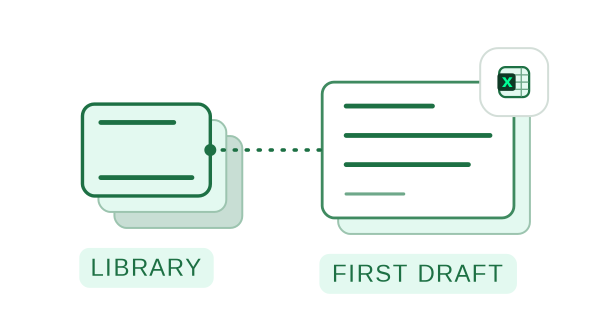 02
A baseline draft from your approved files
EA drafts first responses to the CDP questionnaire from your approved files and carries over answers approved in previous questionnaires.
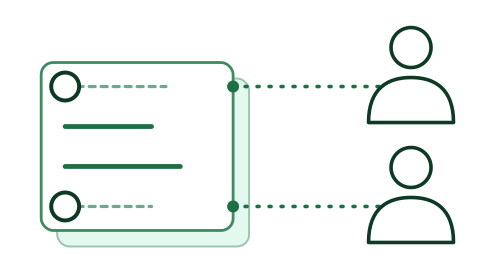 03
Each section with its owner
Assign sections to legal, risk or sustainability colleagues. EA asks each owner for what is missing, such as this year’s Scope 3 inventory, and follows up.
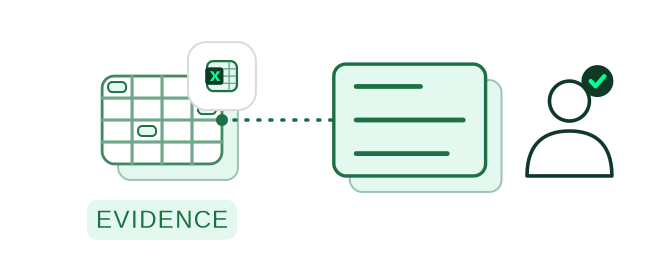 04
Reviewed in EA or Excel, approved in one place
Reviewers work in EA, or in an Excel export they re-upload, with PDF copies for circulation. Edits, approvals and versions stay in one place, and your Head of Sustainability approves before your team submits.
Who it’s for
Each team behind the quality of the response.
- Sustainability and disclosure
Starts from last year’s approved CDP answers and spends the window on what changed: targets, Scope 3 and the transition plan.
- Compliance
Sees the prior CDP answer or policy behind each response, and each edit made since it was approved.
- Corporate communications
Shapes the wording so the response reads like the rest of what the company publishes.
- Finance
Keeps reported figures consistent with what investors and regulators have been told.
EA’s own security
Your drafts, evidence and approvals stay under your control.
Unpublished targets, emissions figures and draft answers are market-sensitive. These are the controls on the workspace that holds them.
- Hosted your way
EA’s cloud in a region you choose, hybrid options or on-premises. Data never used to train the models EA runs on.
- Access
Single sign-on, which you can enforce, and an access list for each workspace.
- Support access
EA staff see your data only in a time-limited window you open.
- Testing
An independent firm runs a penetration test on EA every year.
- Security contact
EA’s security team is at security@eaglobal.ai.


FAQ
Questions before the next cycle.
EA takes on the assembly: the baseline draft comes from your approved files, review and approval happen in one place, and the approved answers fill your original Excel, Word or PDF file. Your team keeps the judgement, the wording and the submission.
There is no integration project. The first baseline draft can be built as soon as your previous CDP, EcoVadis or other disclosure responses are uploaded.
Your team still submits in CDP’s own online response. EA prepares the approved answers that go into it, so nothing is rebuilt at the end.
EA works on disclosure requests in Word, Excel and PDF and on online forms, and the more requests it handles, the more answers your team has already approved.
Yes. EA structures prior disclosures and supporting documents without changes to your SharePoint or wherever your documents are stored.
Go live for the next cycle
Book a CDP first-draft walkthrough.
Deployment fits around your reporting calendar: upload last cycle’s responses, and review starts from a first draft.
- A pilot to assess fit before you commit
- Try EA free. No card needed.
- Review in EA, or in Excel and re-upload
- Starts from your prior CDP and EcoVadis responses
Let’s get you booked in.
Share a few details and you’ll choose a time on the next step.